This guide will walk you through the process of disassembling the print head and replacing the Hotend on Creality Hi 3D Printer, you an see below quick link to written or video guide depending on your preference.
TABLE OF CONTENTS
- Spare Part:
- Install Video:
- Written Guide:
- Tools needed
- Step 1. Unscrew the 2 Screws holding the Front Tool Head Cover
- Step 2. Remove the Front Tool Head Cover
- Step 3. Remove the Extruder Indicator Wheel
- Step 4. Unscrew the 2 screws holding the Extruder Motor Cover and remove the extruder motor cover
- Step 5. Disconnect the Filament Cutter Cable, Extruder Motor, Heater Cable, Thermistor and Hotend Fan Cable
- Step 6. Unplug the Filament Sensor Cable from the Filament Sensor
- Step 7. Unscrew the mounting screws for the Extruder
- Step 8. Slide the Extruder out
- Step 9. Remove the PTFE tube from the Extruder
- Step 10. Unscrew the Hotend from the Strain Gauge
- Step 11. Remove the Hotend From the Print Head and Unscrew the Hotend Fan.
- Step 12. Attach your Hotend fan to your replacement Hotend.
- Step 13. Insert the Hotend into the Print Head and secure it to the Strain Gauge.
- Step 14. Insert the PTFE Tube and fasten the Extruder
- Step 15. Plug in the Filament Cutter Cable, Extruder Motor, Heater Cable, Thermistor and Hotend Fan Cable
- Step 16. Ensure that the cables are organized into their grooves
- Step 17. Install the Extruder Motor Cover
- Step 18. Install the Extruder Indicator Wheel
- Step 19. Install the Front Tool Head Cover and screw it in place
- Step 20. Turn on the machine and run Self Test / Calibration.
Strong Glue: The connectors on the extruder board are secured with a strong glue. You may need to carefully cut or dab some 99% iso alcohol gently wiggle the connectors to release them. Forcing the connector could damage both the extruder board and the cable.
Spare Part:
Creality Hi Replacement Hotend
Creality Hi Nozzle - Creality K2 Plus / Creality Hi Longer version
Install Video:
Tools needed
- 1.5mm Hex Driver or Hex Key
- 2mm Hex Driver or Hex Key
- 2.5mm Hex Driver or Hex Key
- Precision Tweezers (for easier connector removal)
Written Guide:
Tools needed
- 1.5mm Hex Driver or Hex Key
- 2mm Hex Driver or Hex Key
- 2.5mm Hex Driver or Hex Key
- Precision Tweezers (for easier connector removal)
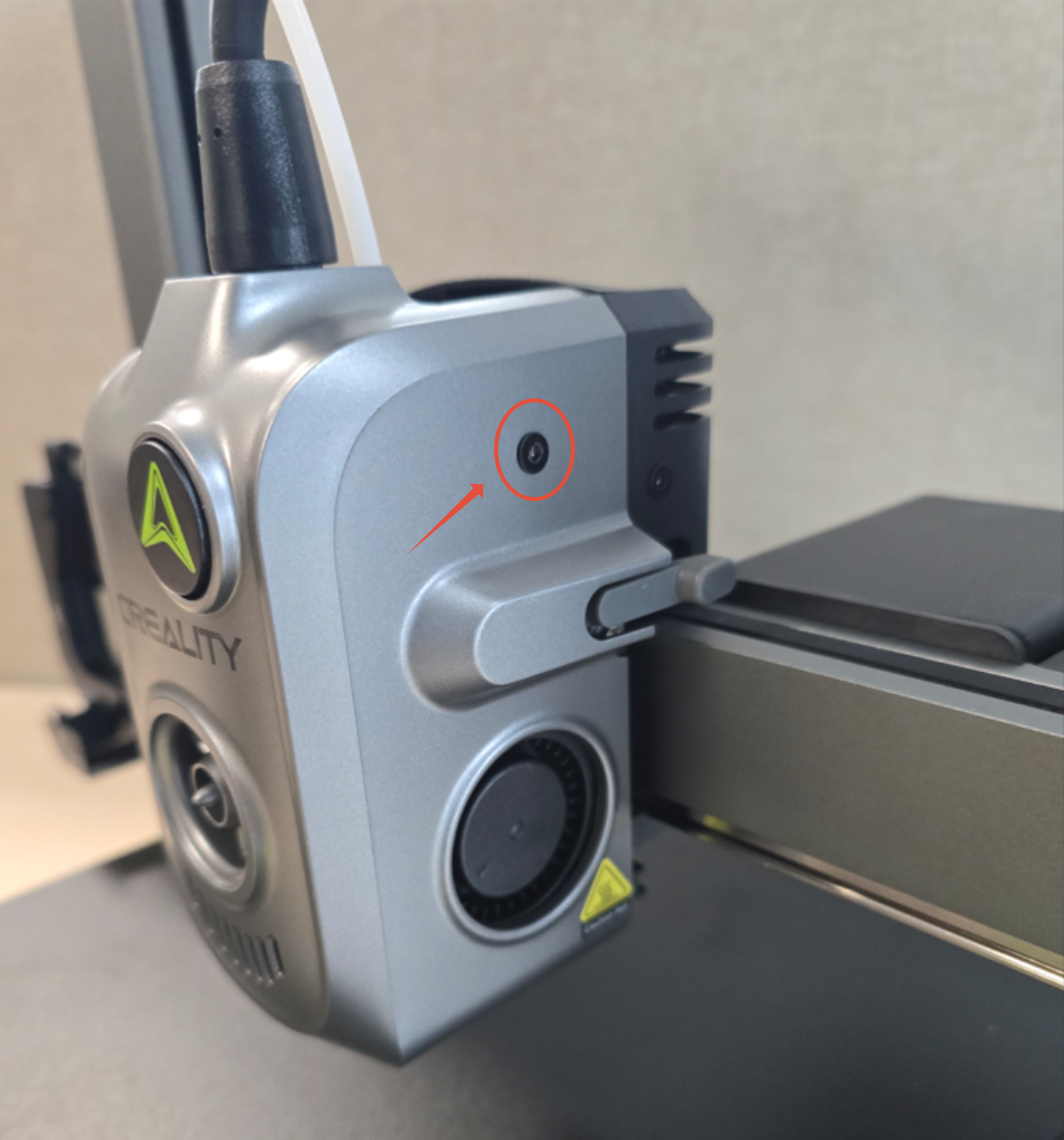
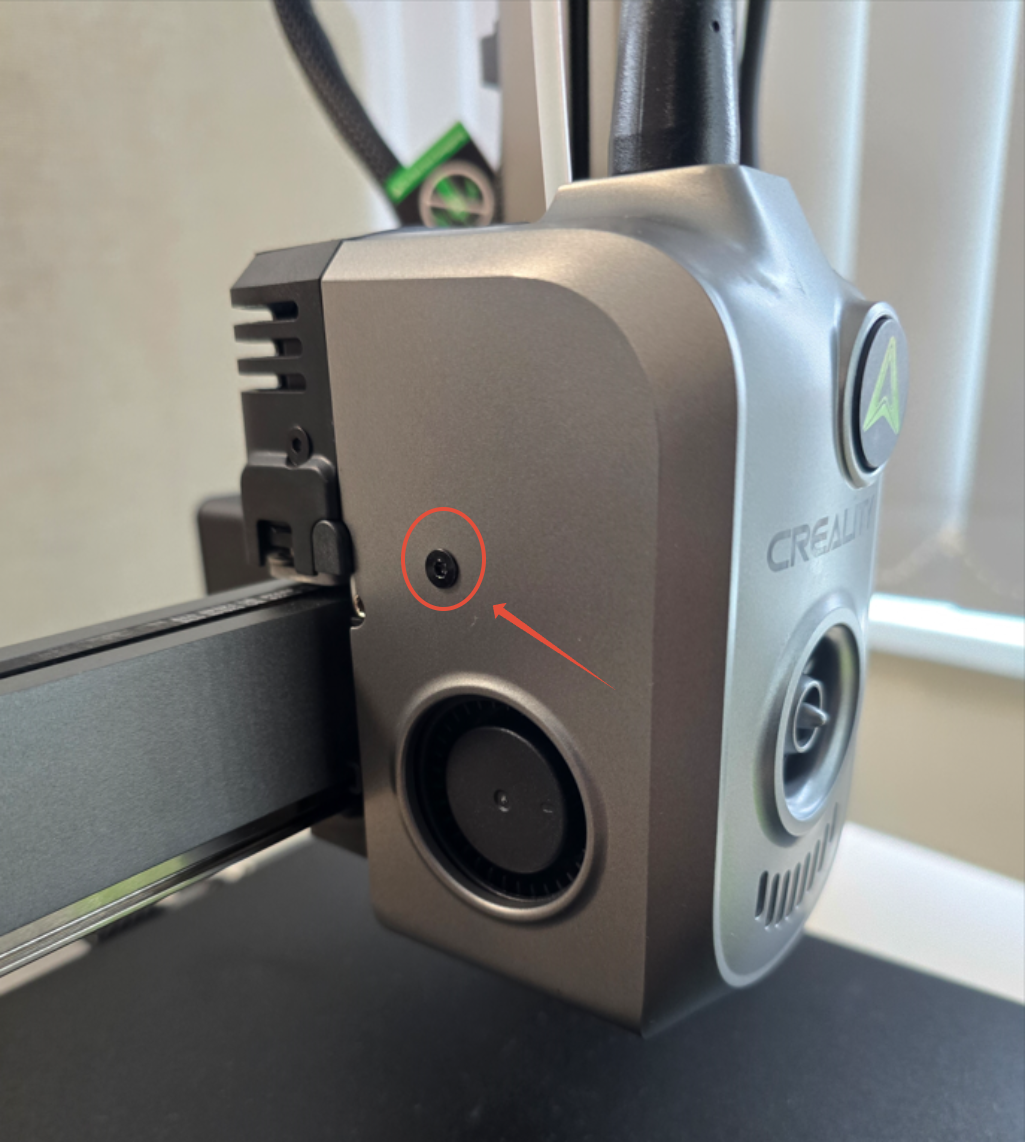
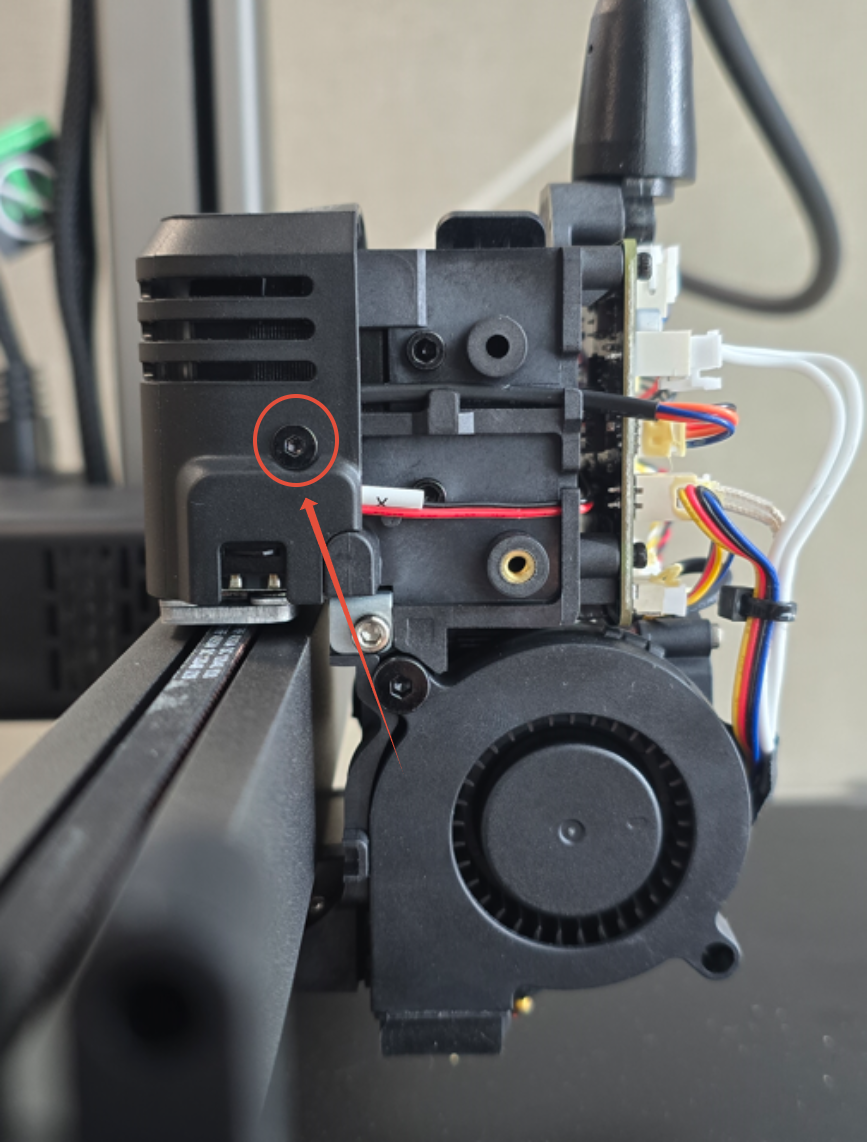
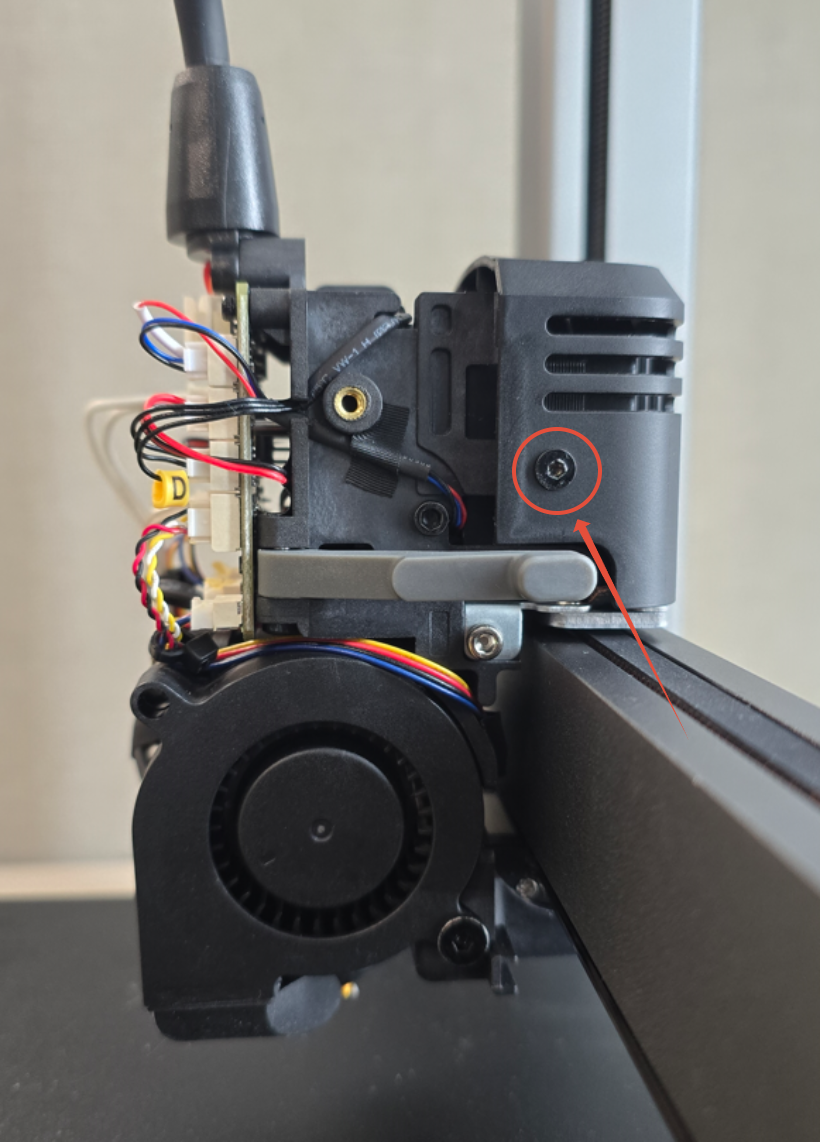
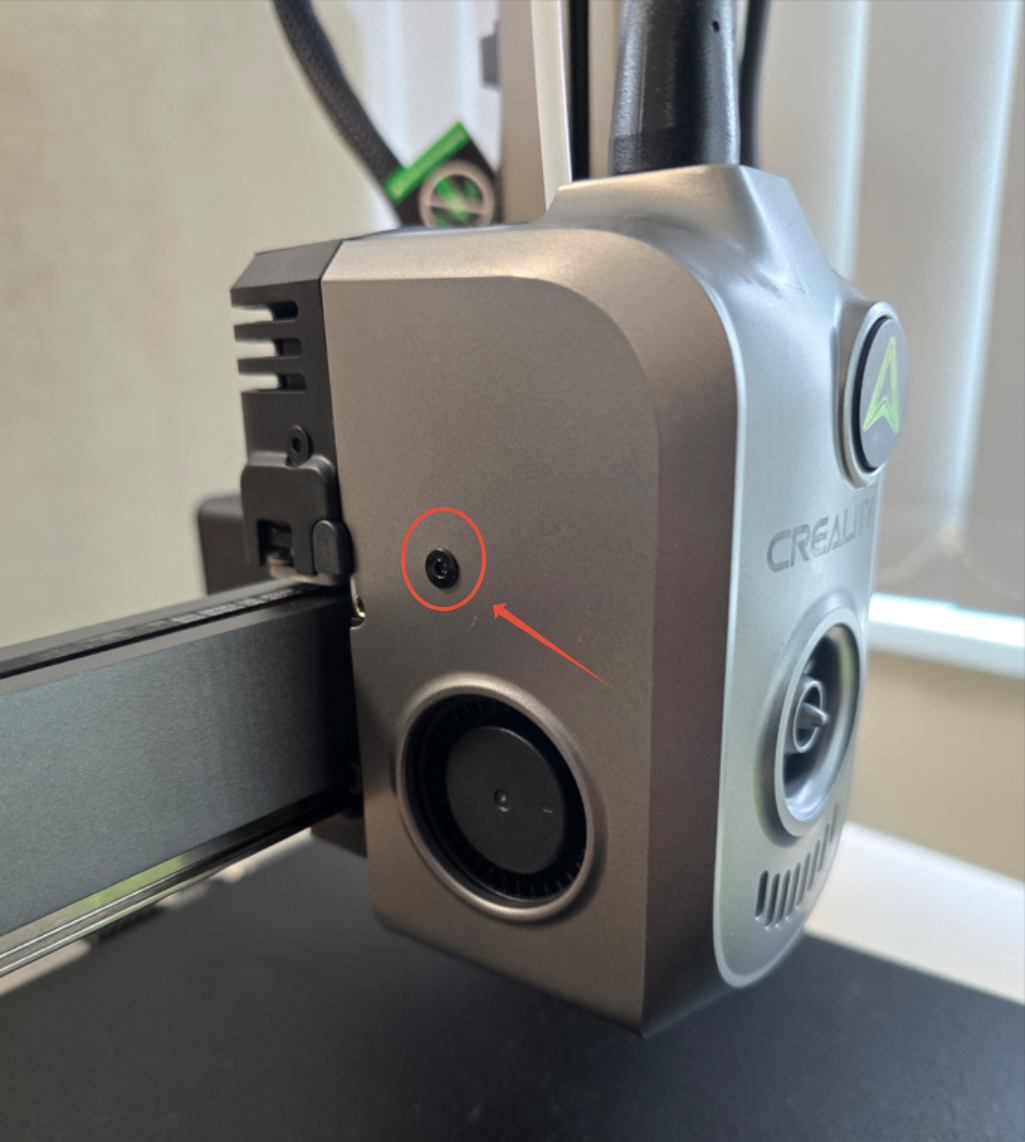
Step 1. Unscrew the 2 Screws holding the Front Tool Head Cover
Use your 2mm Hex driver to remove the screws securing the front cover.
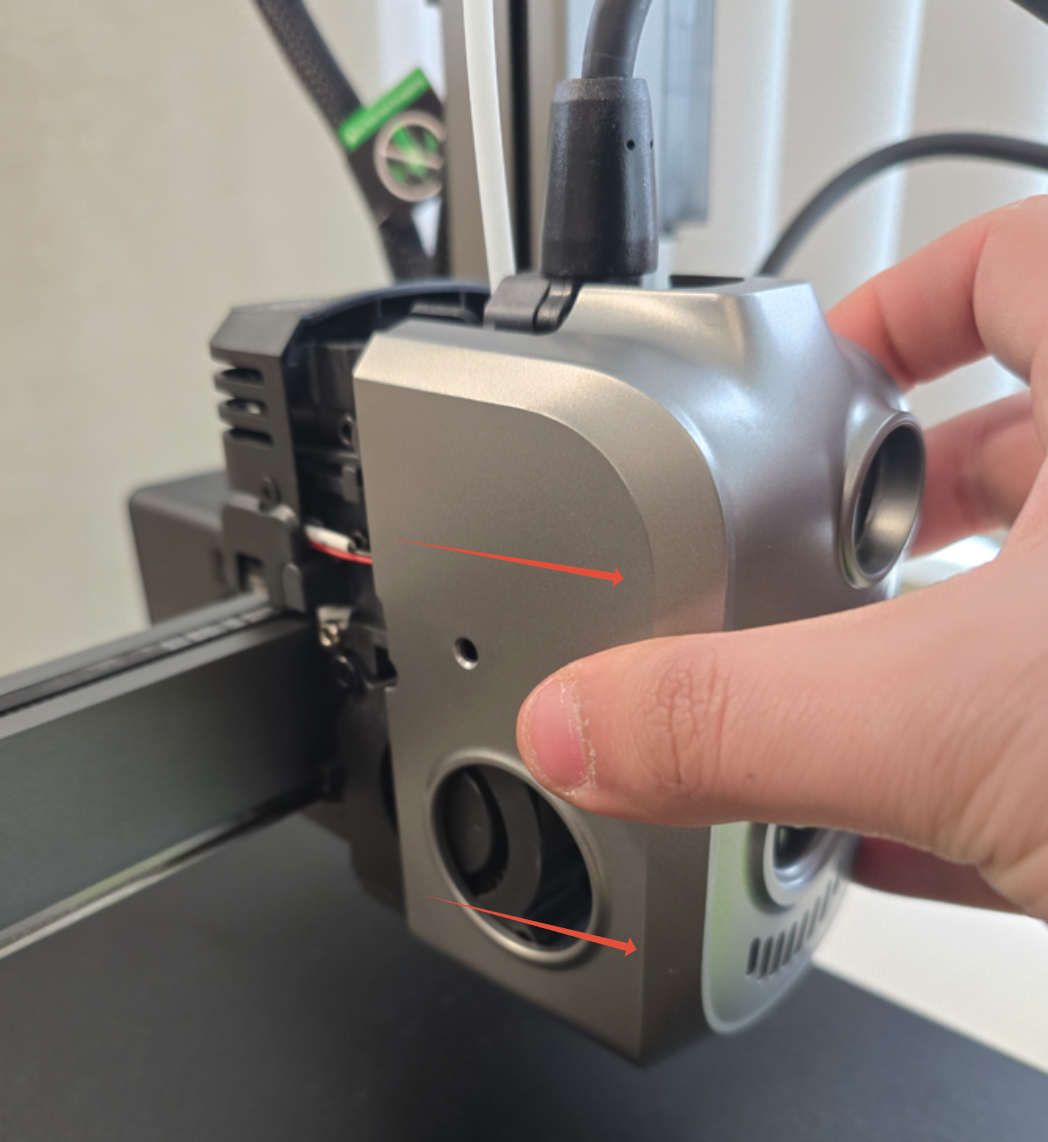
Step 2. Remove the Front Tool Head Cover
Pull the tool head cover towards you to slide it off easily.
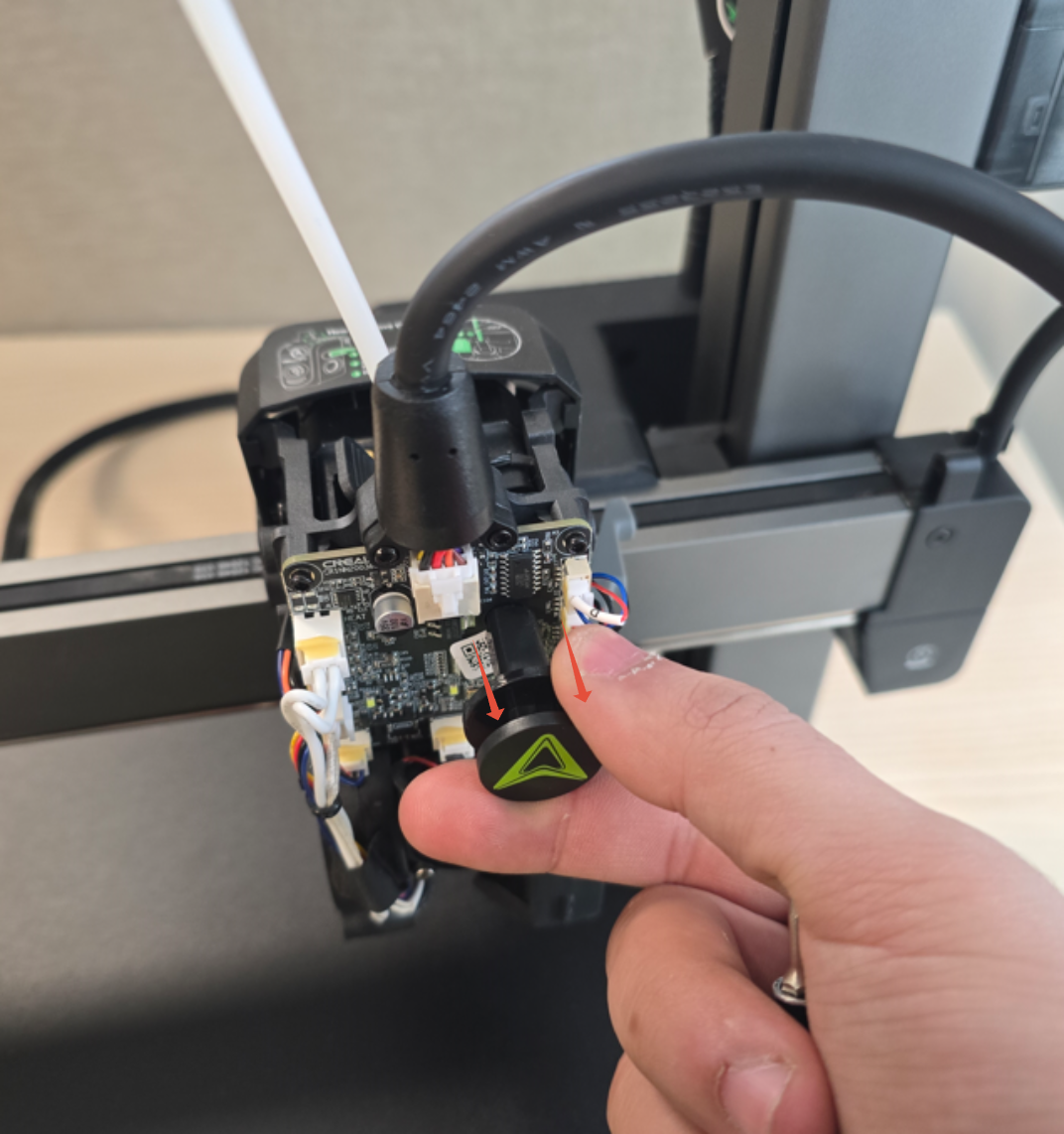
Step 3. Remove the Extruder Indicator Wheel
Pull the indicator wheel towards you to remove it.
Step 4. Unscrew the 2 screws holding the Extruder Motor Cover and remove the extruder motor cover
Use your 2mm Hex driver to remove the screws securing the extruder motor cover.
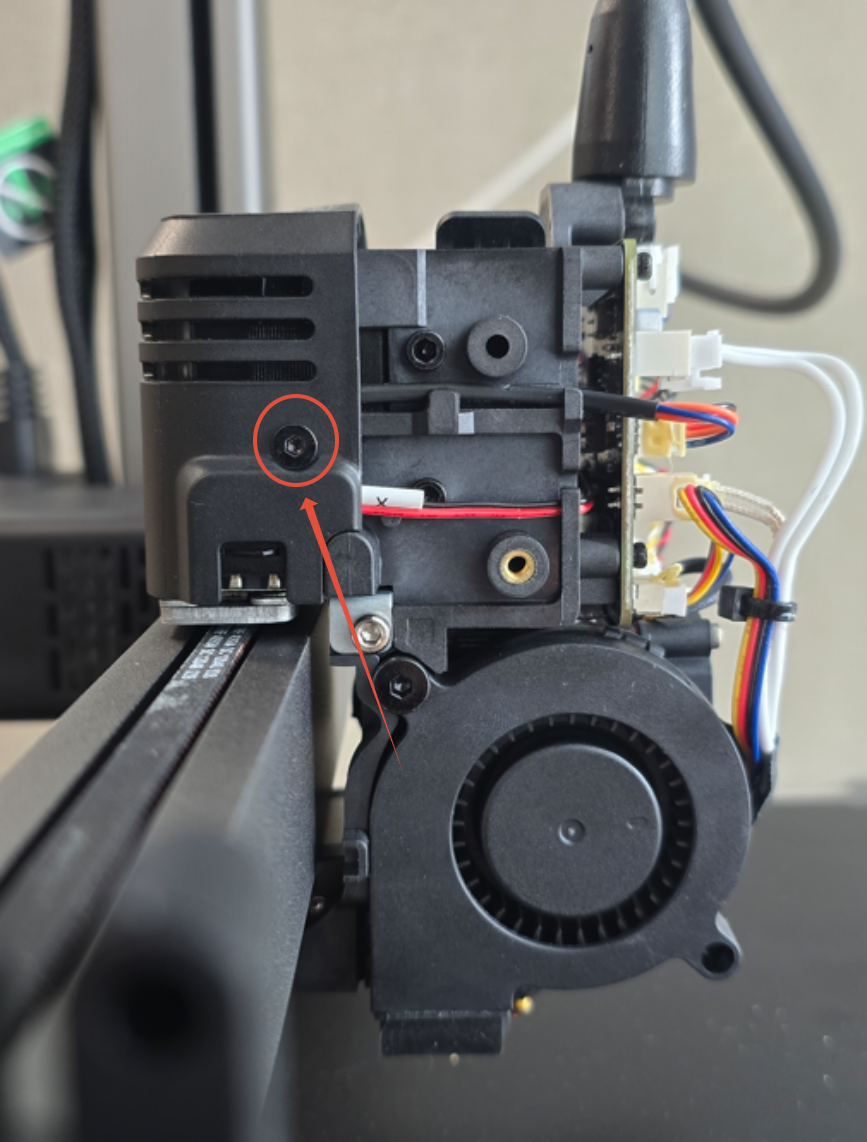
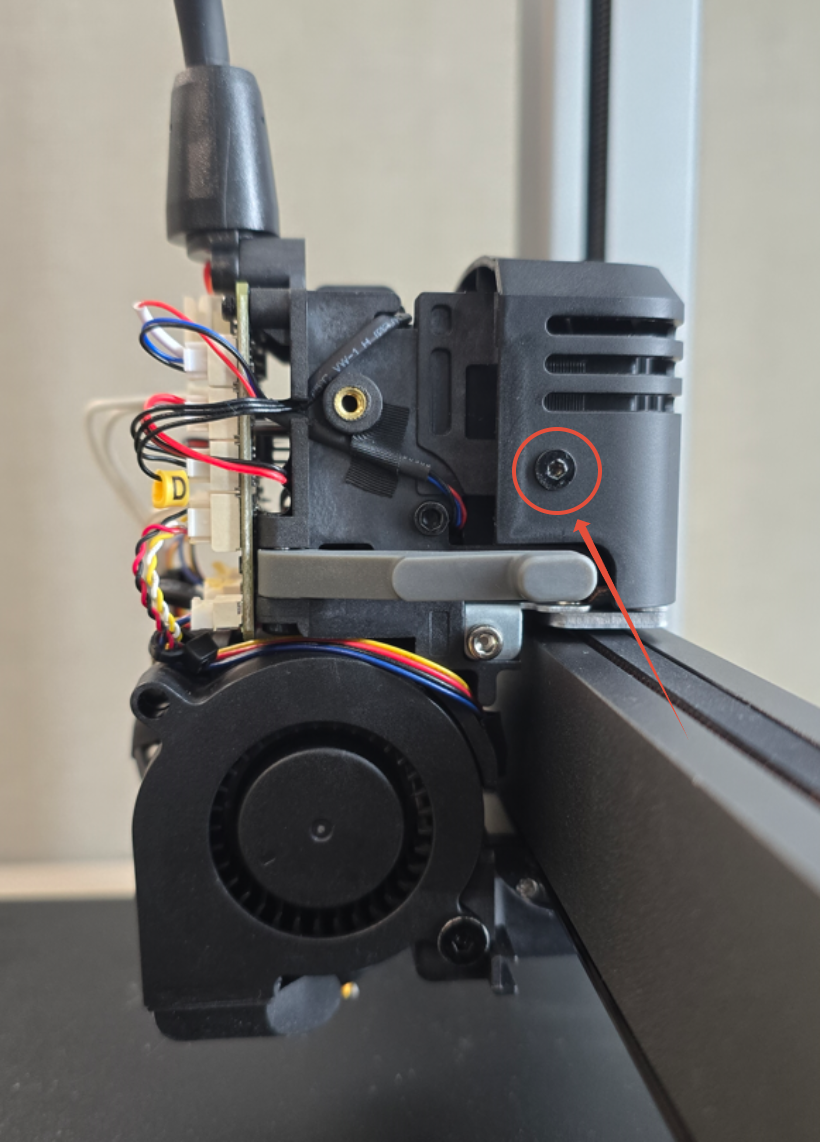
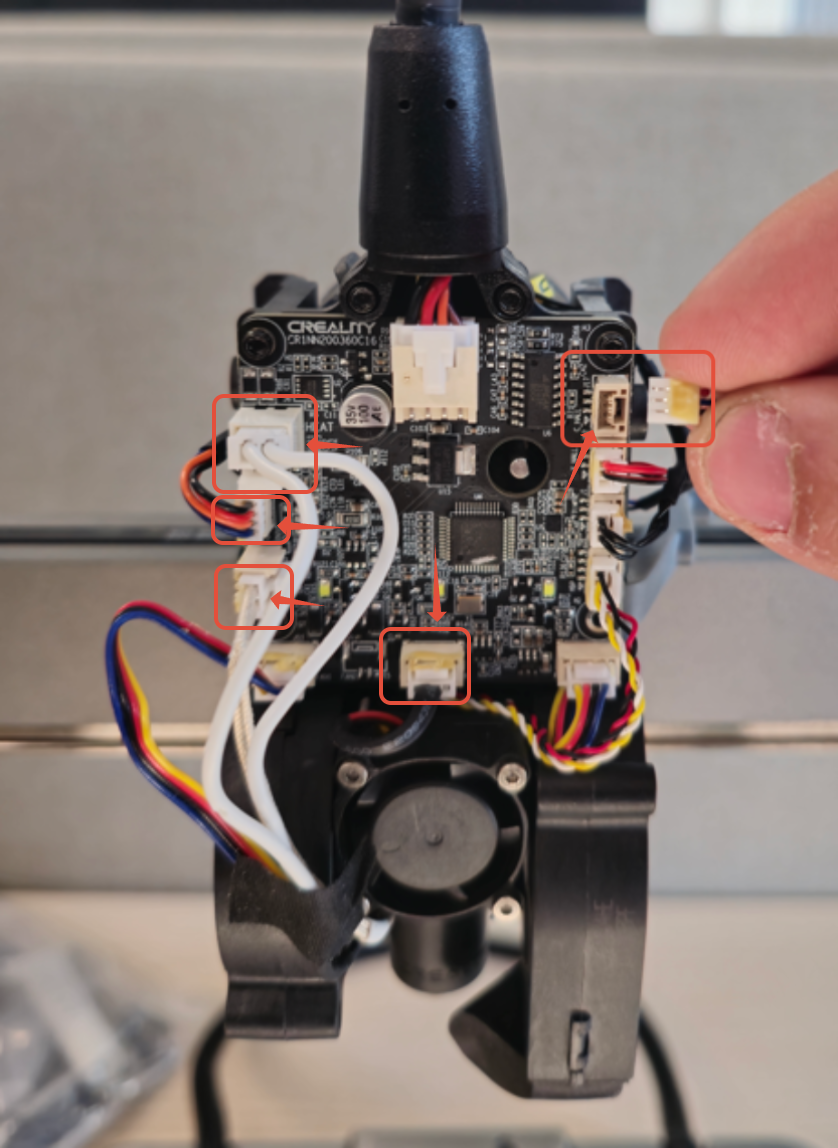
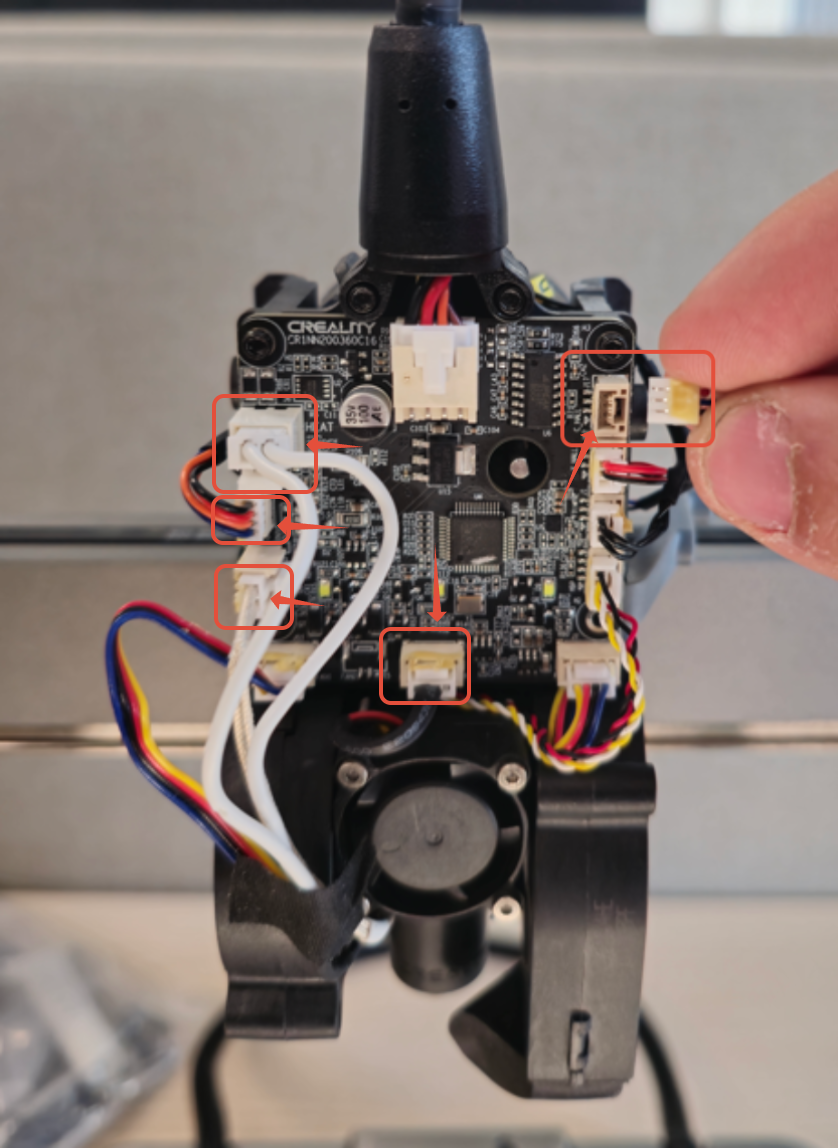
Step 5. Disconnect the Filament Cutter Cable, Extruder Motor, Heater Cable, Thermistor and Hotend Fan Cable
Carefully disconnect Filament Cutter Cable, Extruder Motor, Heater Cable, Thermistor and Hotend Fan Cables from the Extruder Board.
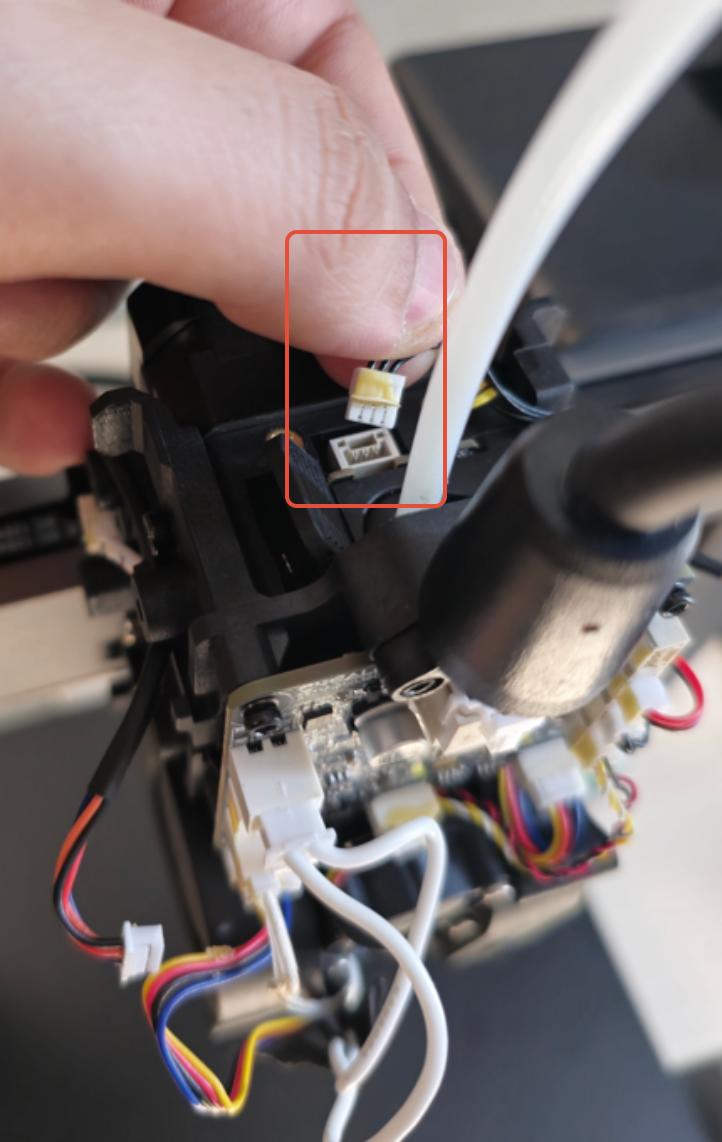
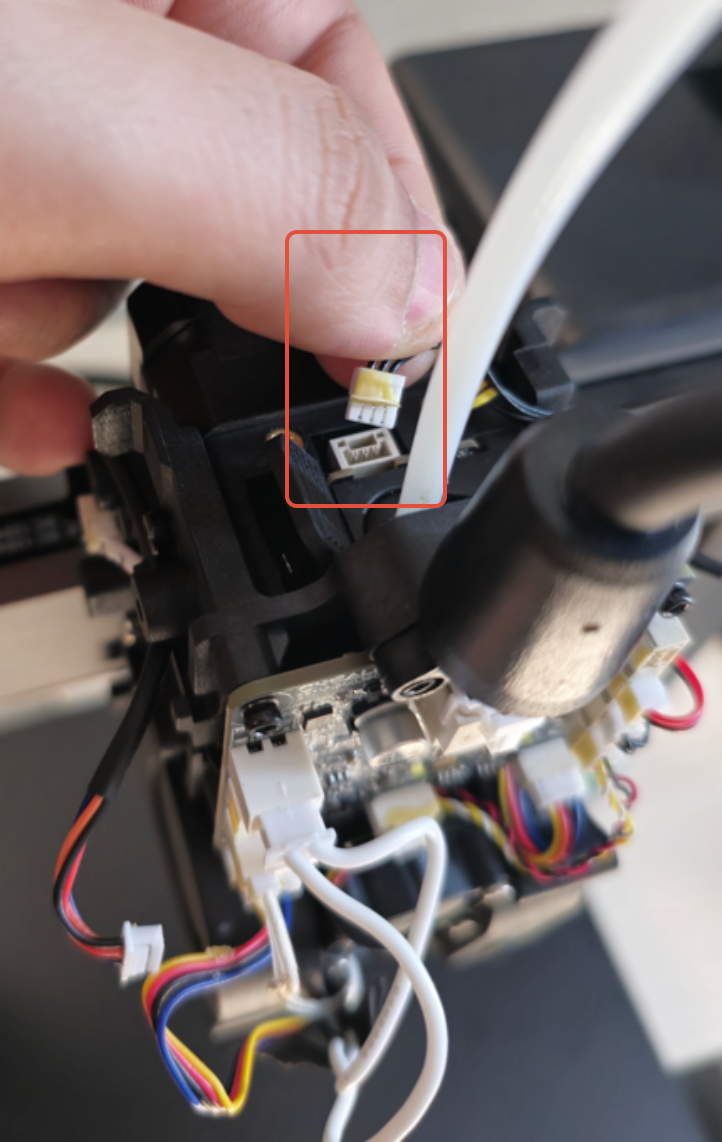
Step 6. Unplug the Filament Sensor Cable from the Filament Sensor
Disconnect the filament sensor cable from the sensor.
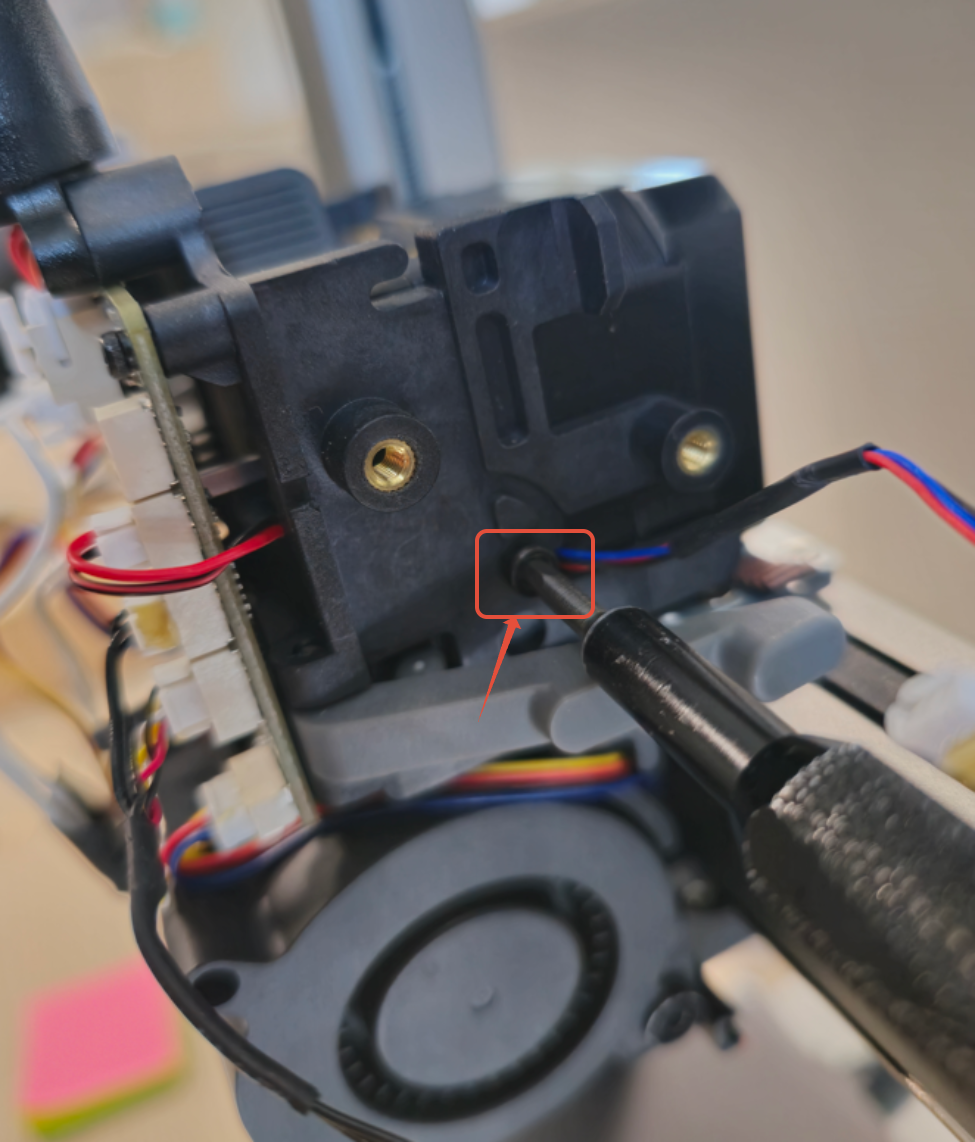
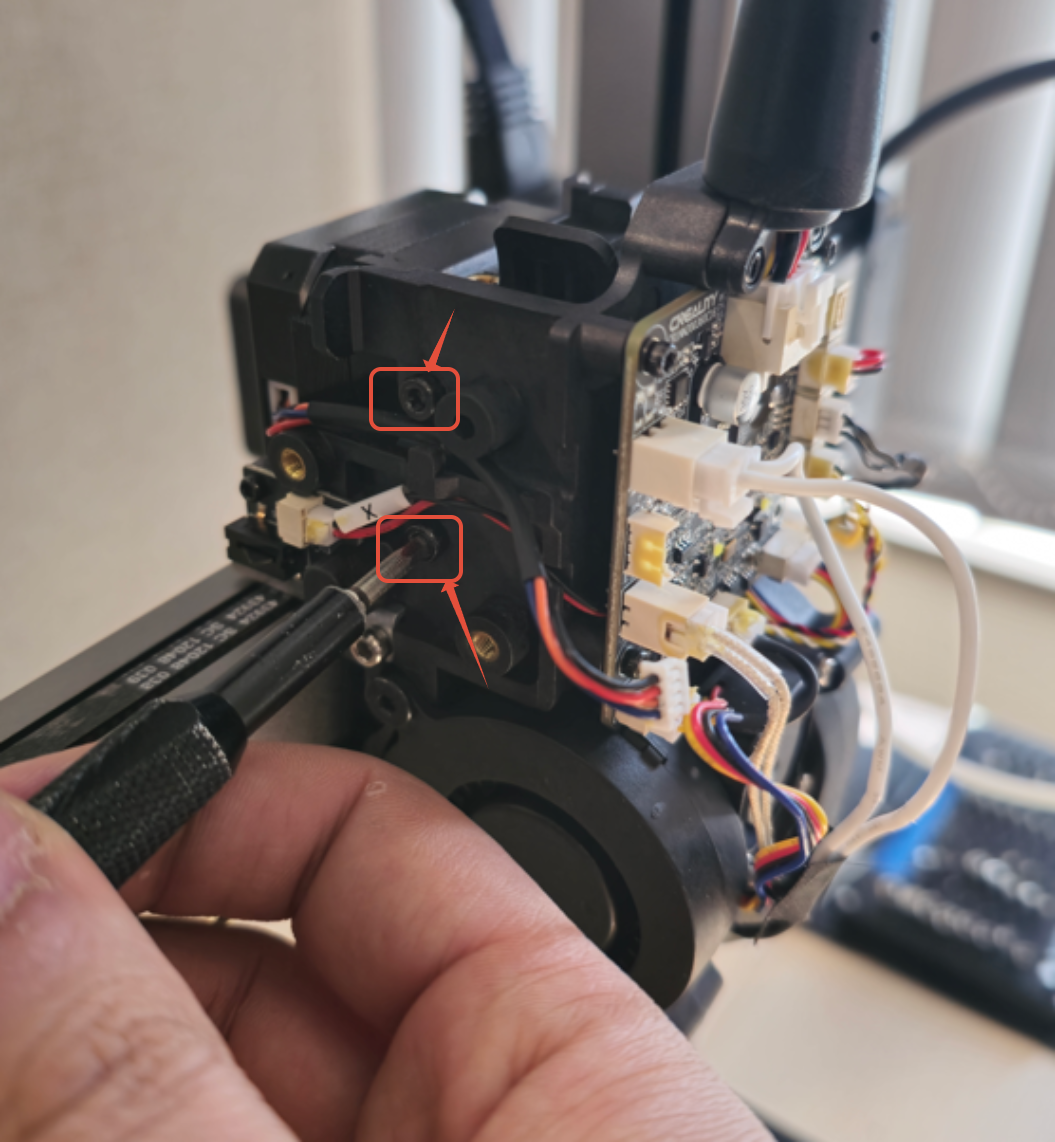
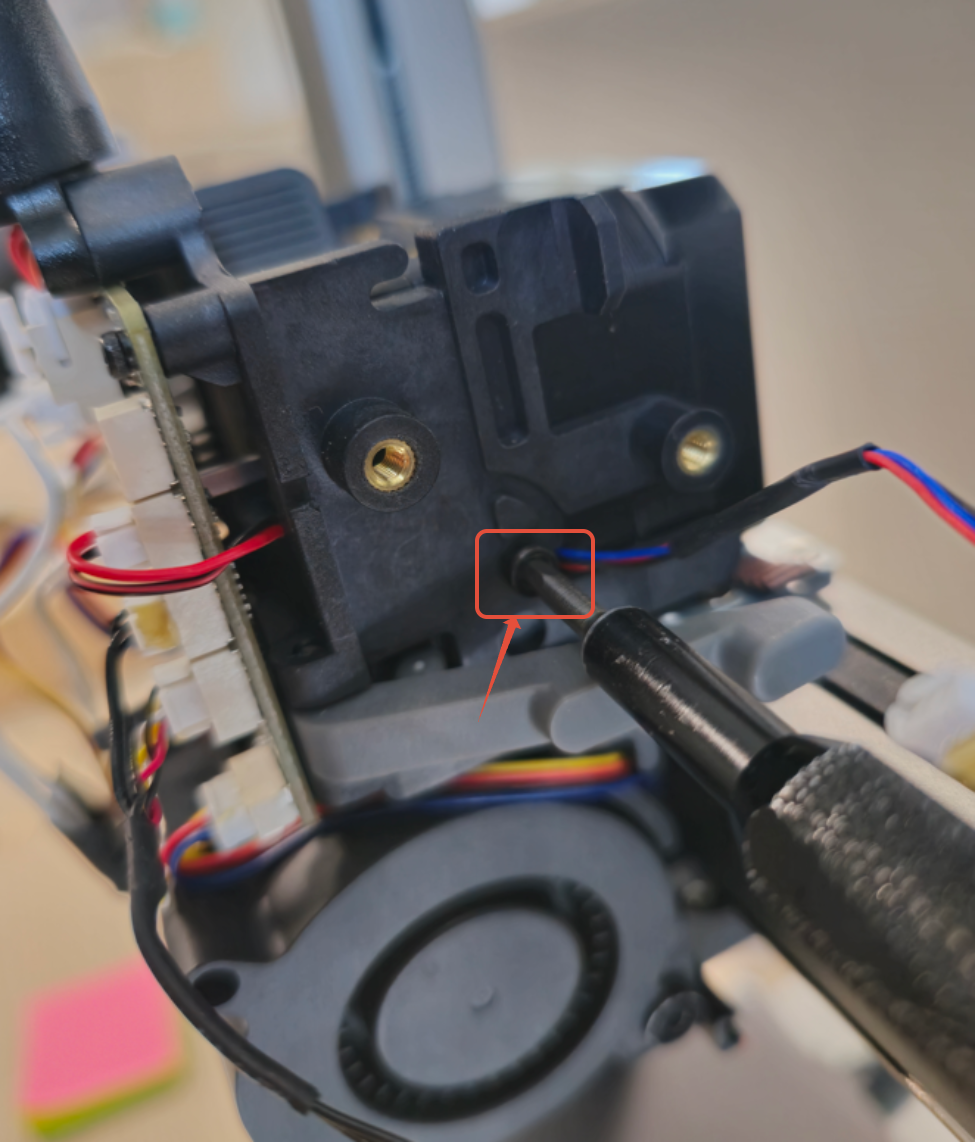
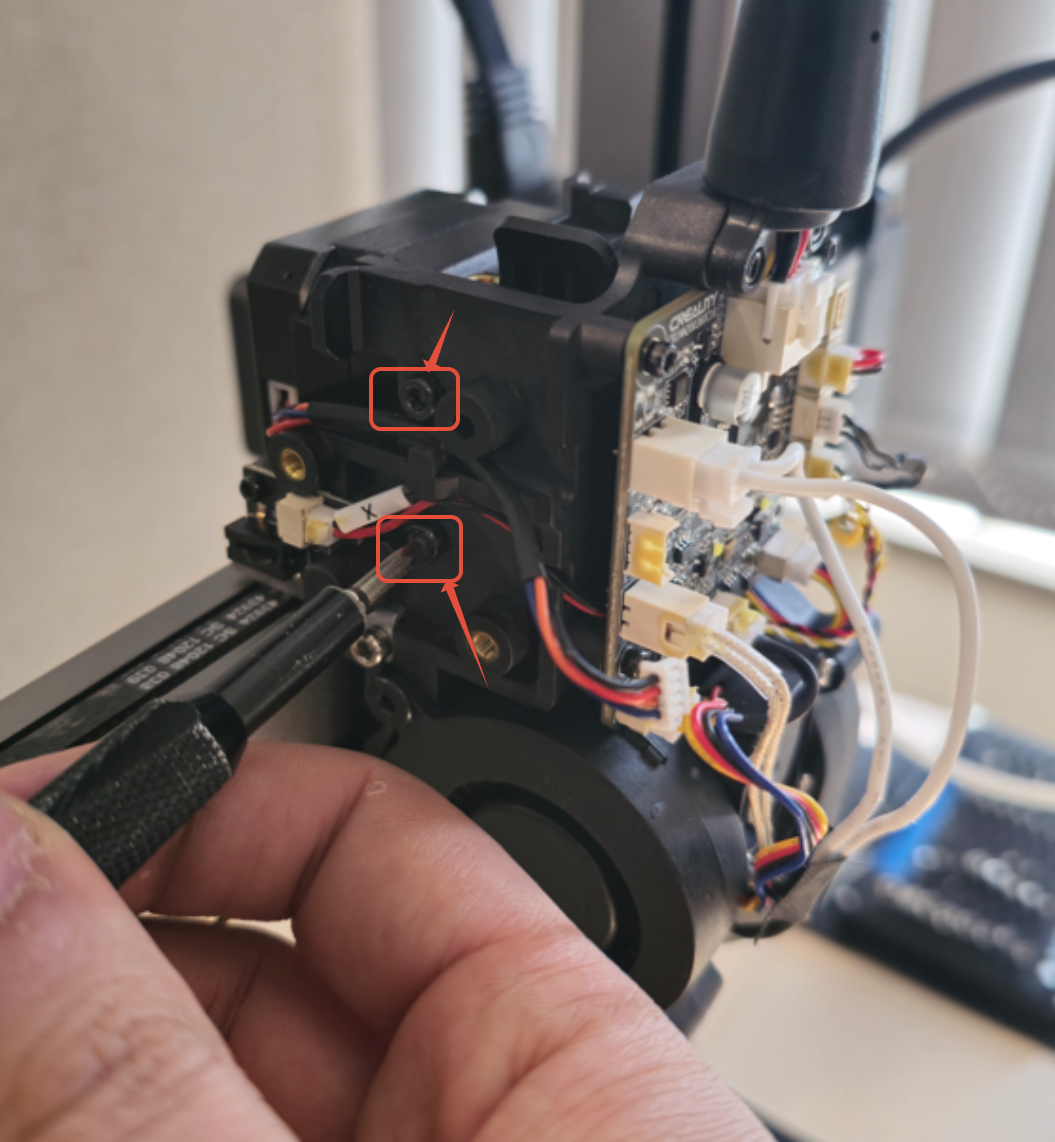
Step 7. Unscrew the mounting screws for the Extruder
Use the 2.5mm Hex driver to remove the screws securing the extruder to its mount.
Step 8. Slide the Extruder out
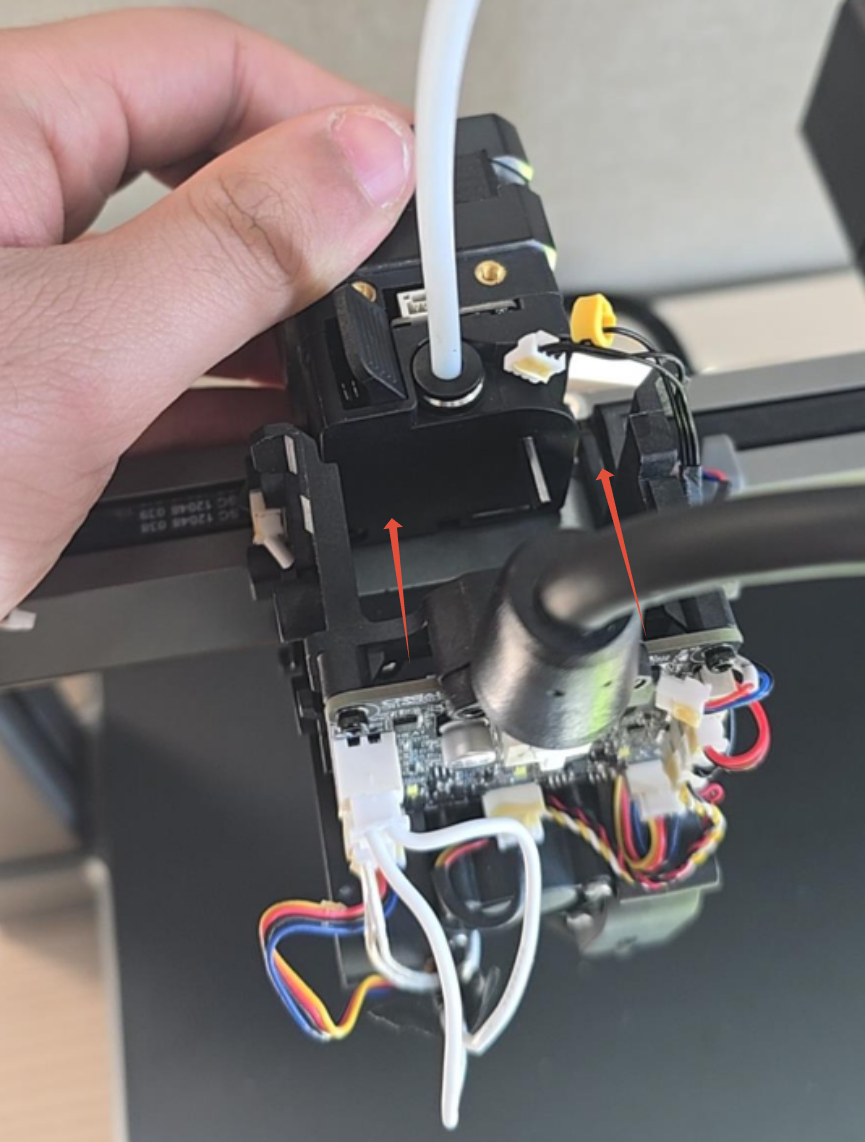
Carefully slide the extruder out from its mount.
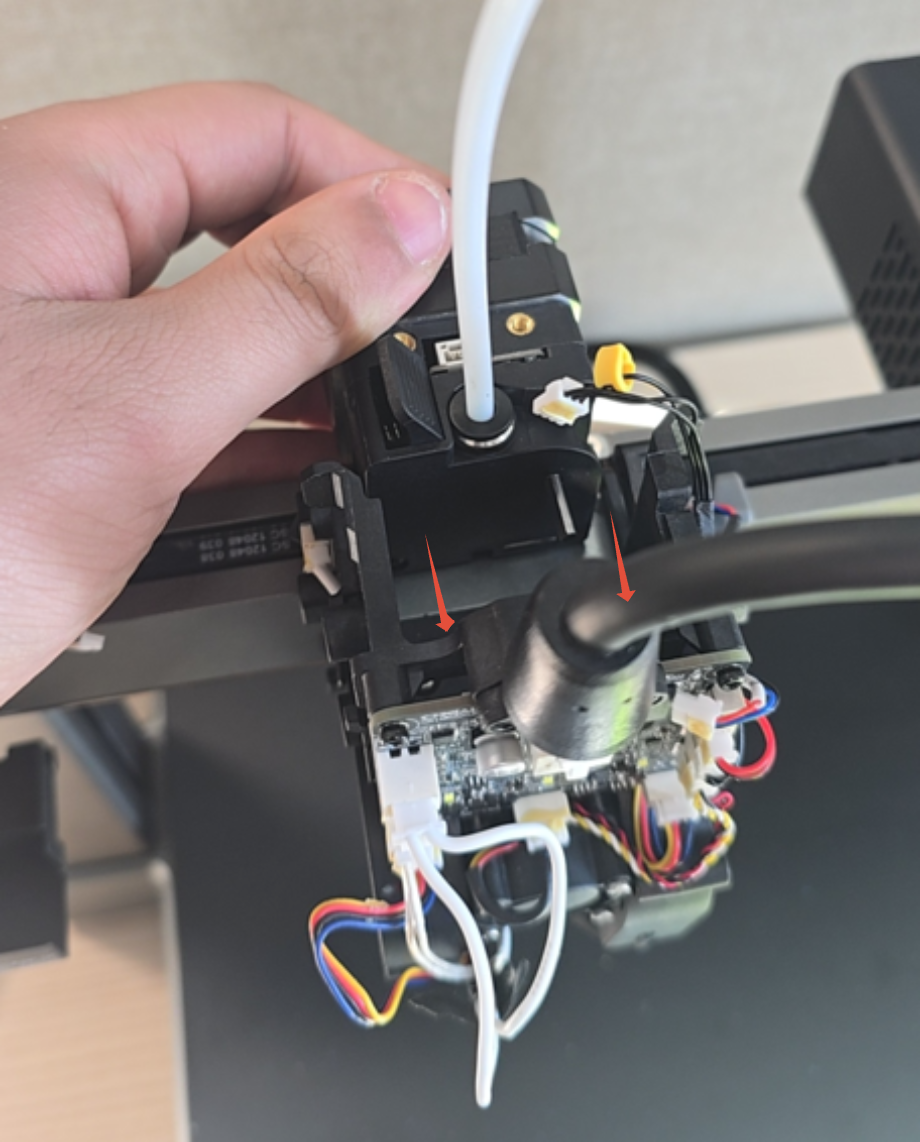
Step 9. Remove the PTFE tube from the Extruder
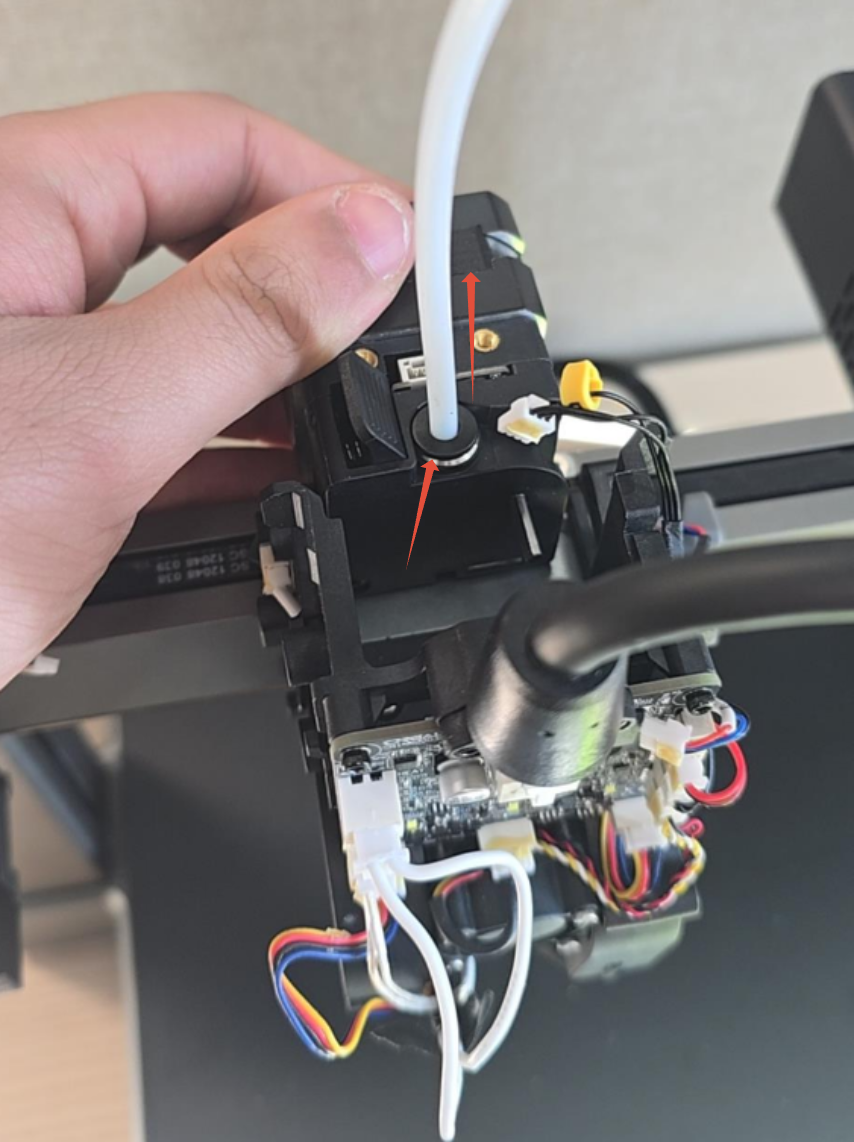
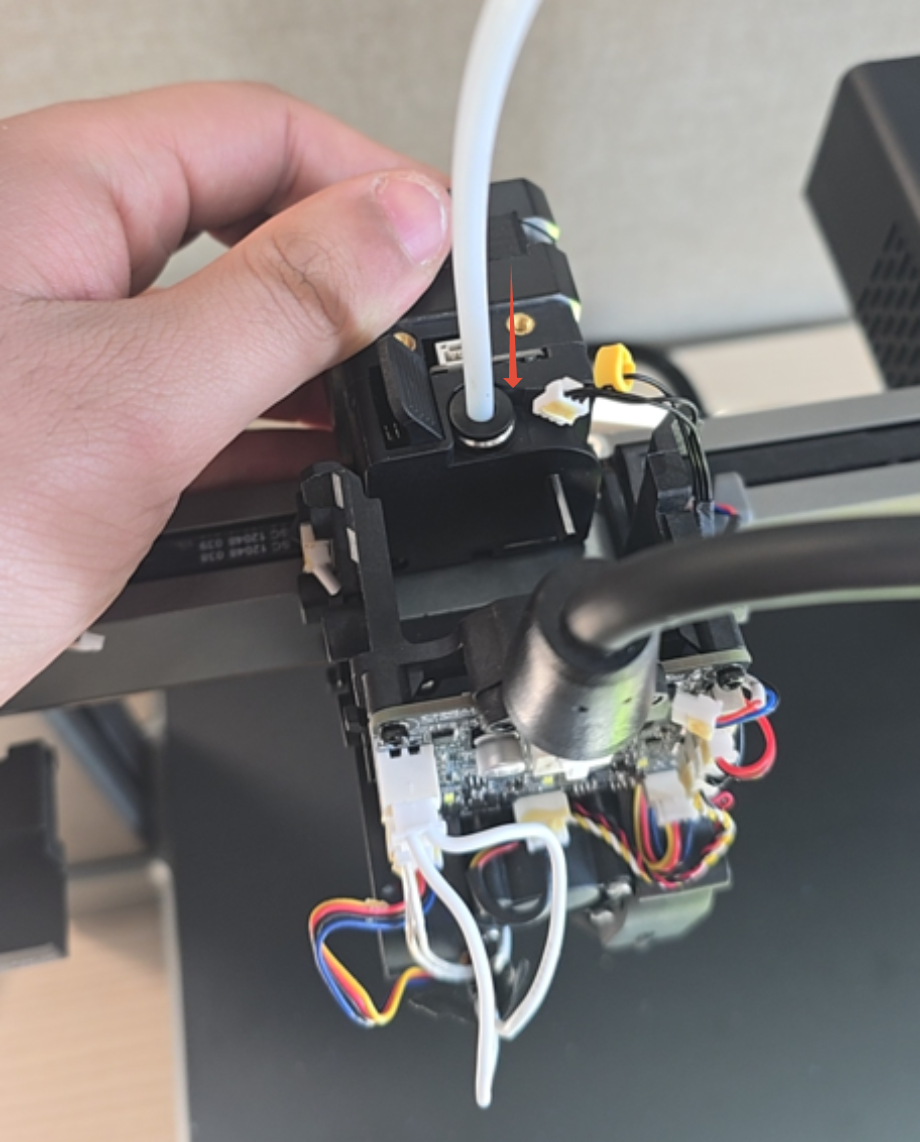
To remove the PTFE tube, first push the coupler down (marked with an arrow in the photo). Once released, pull the PTFE tube upwards to disconnect it.
Step 10. Unscrew the Hotend from the Strain Gauge
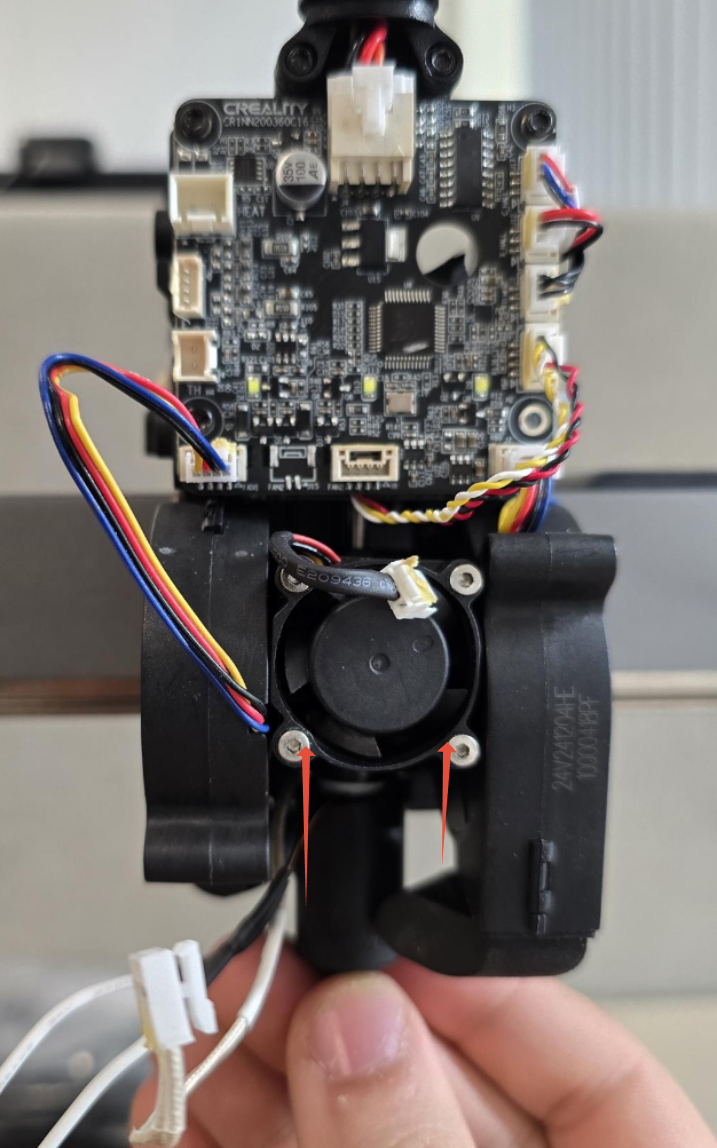
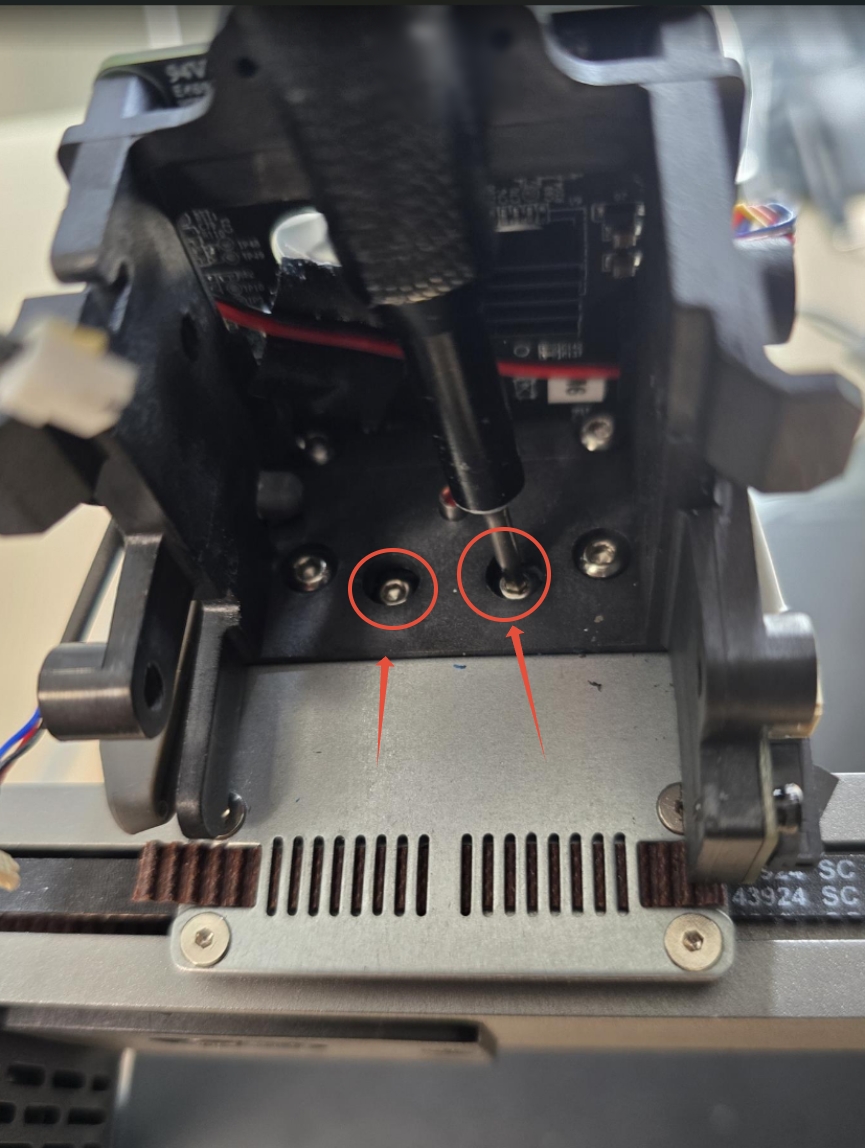
Use your 2mm Hex Driver to remove the screws securing the Hotend to the Strain Gauge.
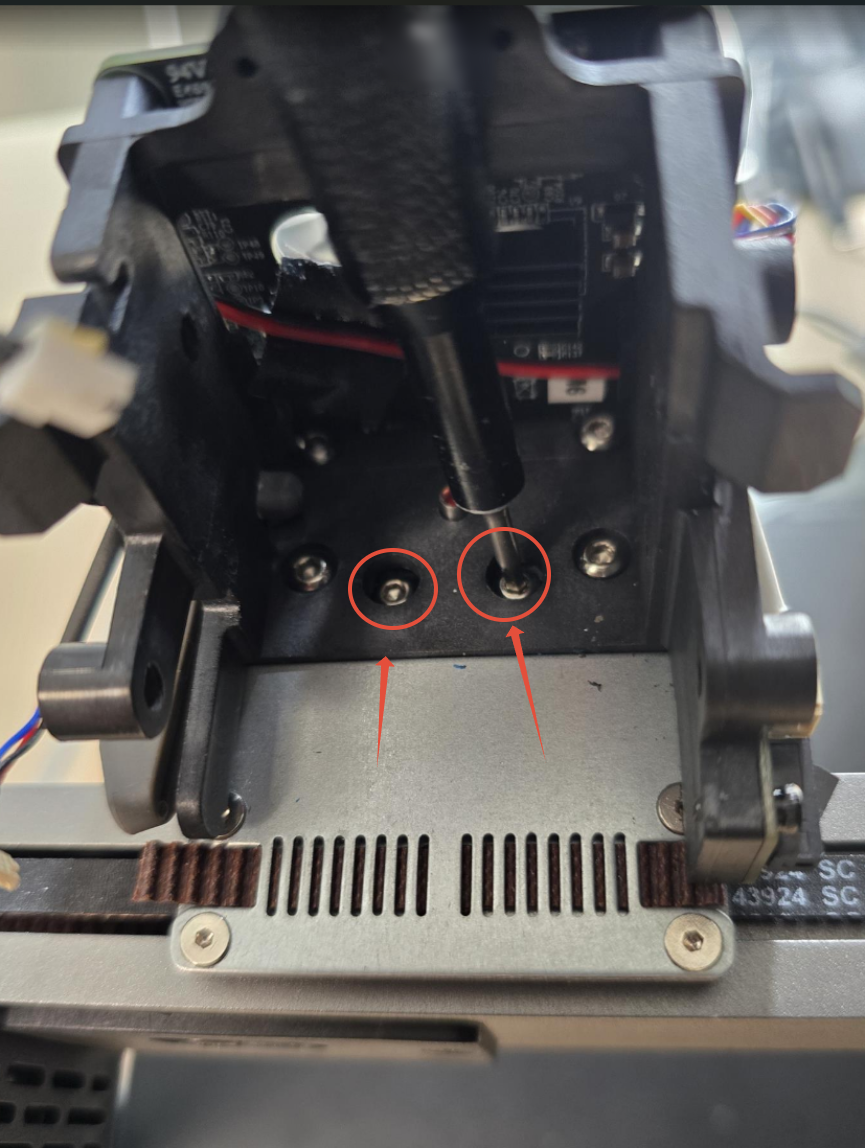
Step 11. Remove the Hotend From the Print Head and Unscrew the Hotend Fan.
Gently pull down on the Hotend to detach it from the Print Head. Next, use your 1.5mm Hex Driver to unscrew the fastener securing the Hotend Fan to the Heat Sink.
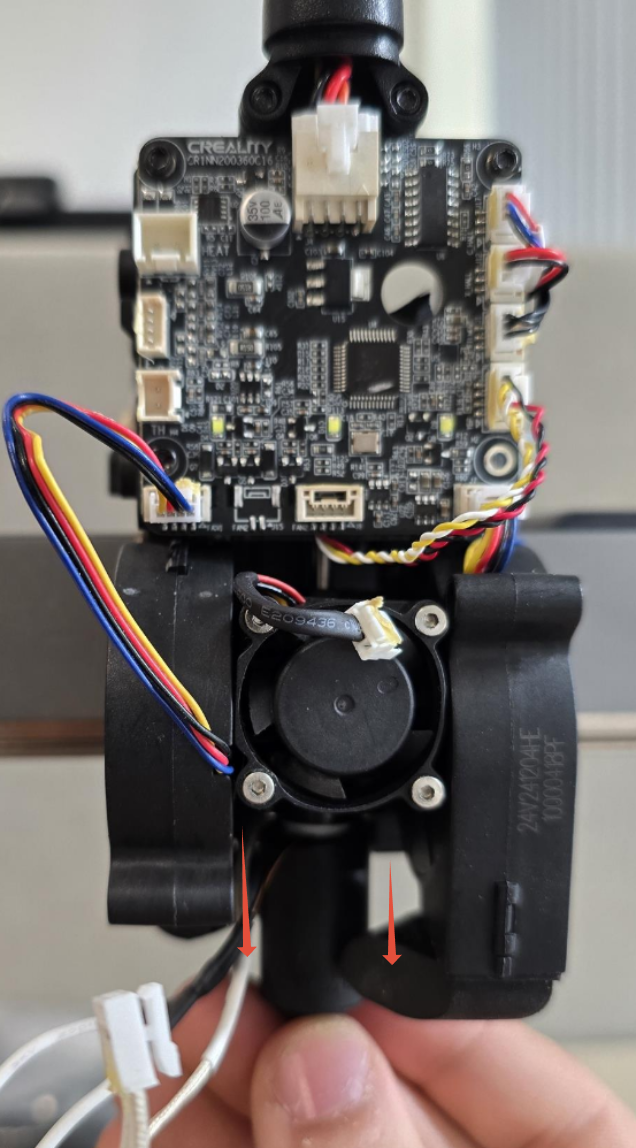
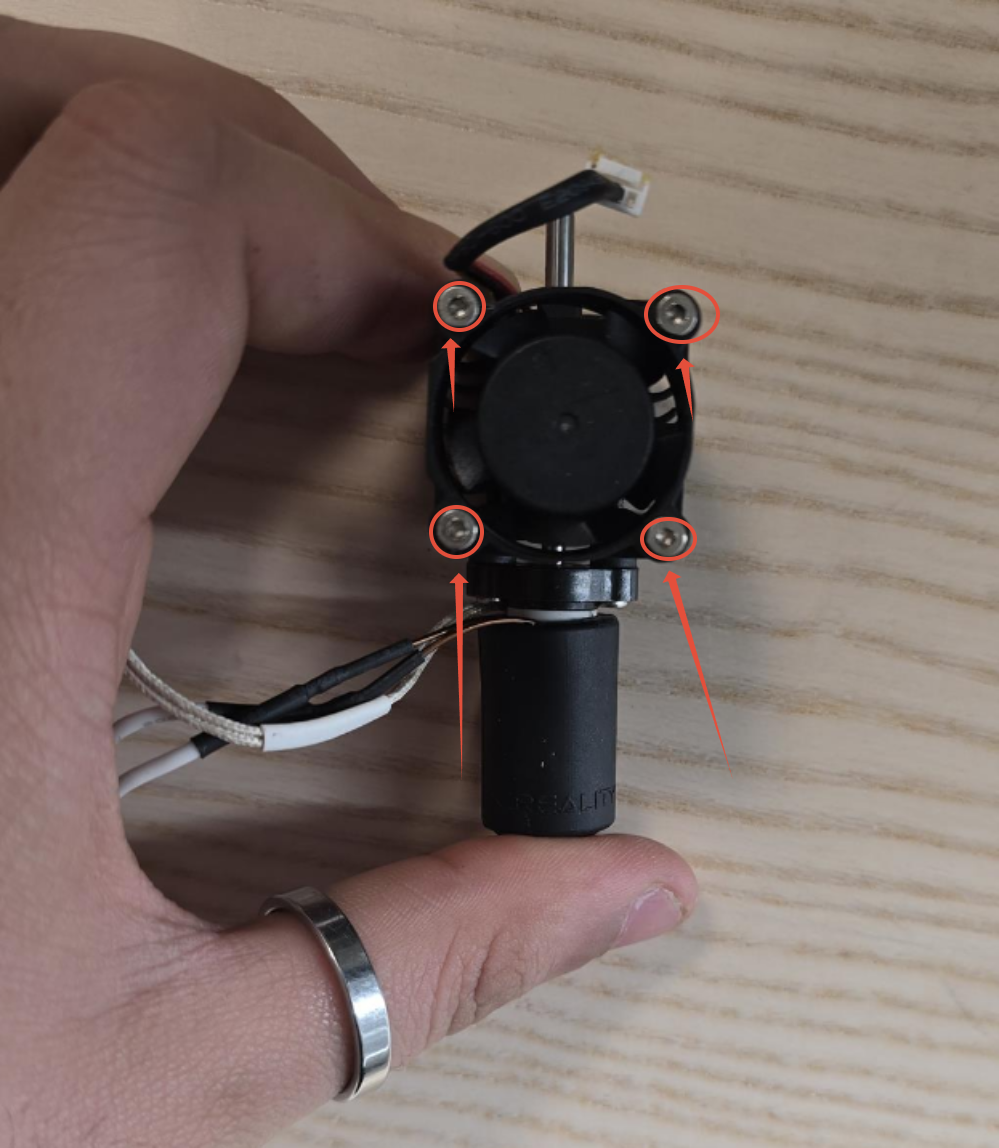
Step 12. Attach your Hotend fan to your replacement Hotend.
Use your 1.5mm Hex Driver to securely fasten the Hotend Fan to the Heatsink. Be careful not to overtighten the screw to avoid damaging the mounting holes.
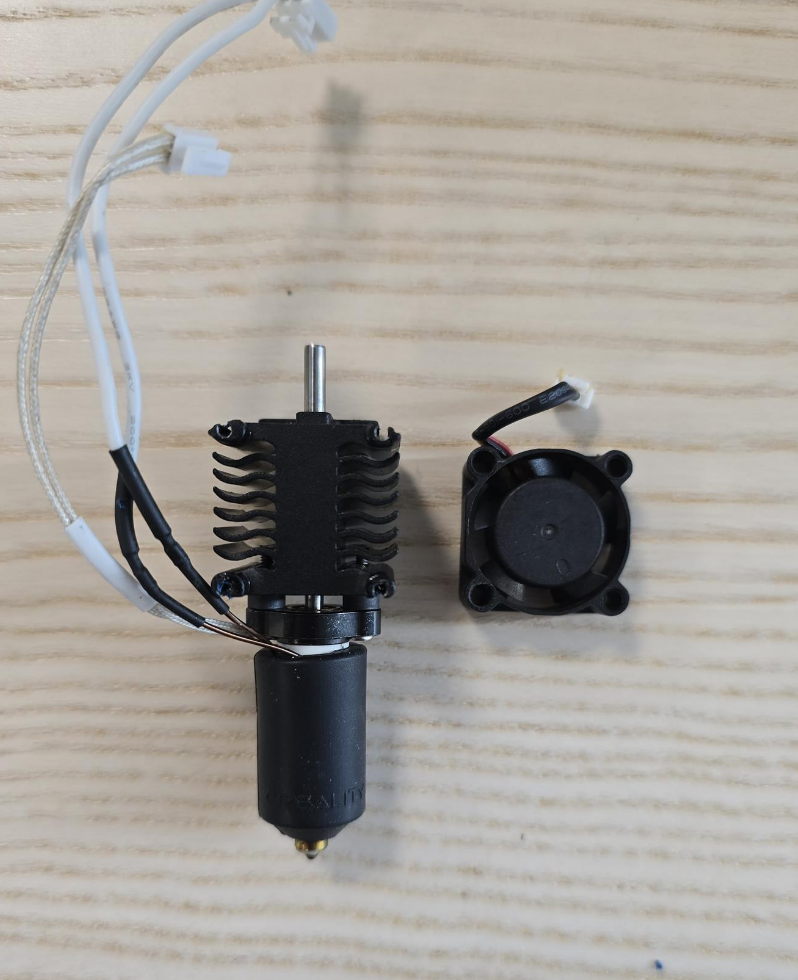
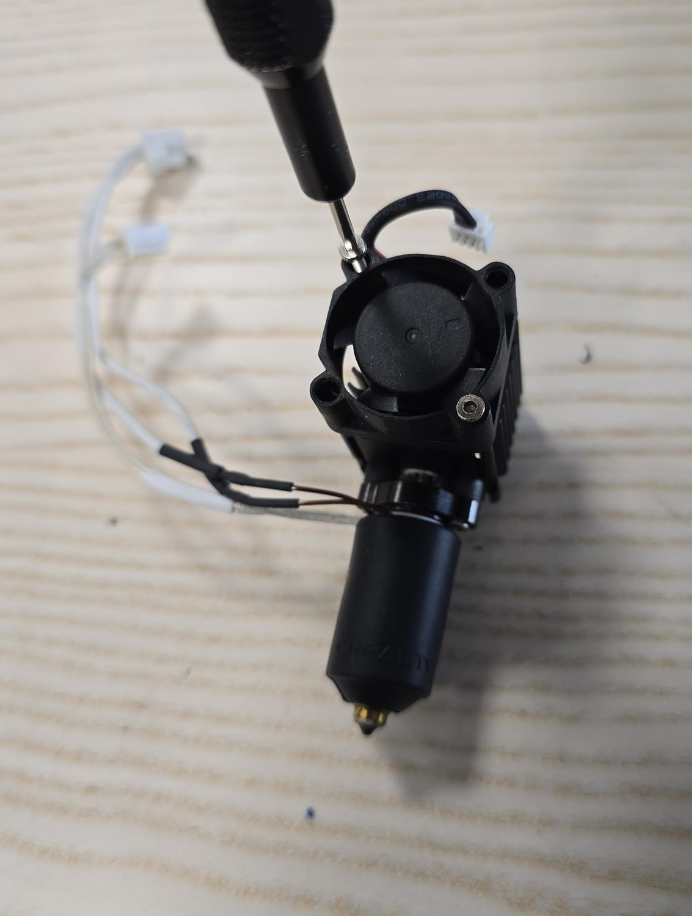
Step 13. Insert the Hotend into the Print Head and secure it to the Strain Gauge.
Align the Heatbreak with its designated hole and carefully slide the Hotend into place. Once positioned, use your 2mm Hex Driver to secure the Hotend to the Strain Gauge. Ensure the screws are tightened properly to prevent the Hotend from coming loose.
Step 14. Insert the PTFE Tube and fasten the Extruder
Push the PTFE tube down into the coupler.
Slide the extruder back into place and secure it with the screws using the 2.5mm Hex driver. Ensure the filament cutter arm is in its open state.
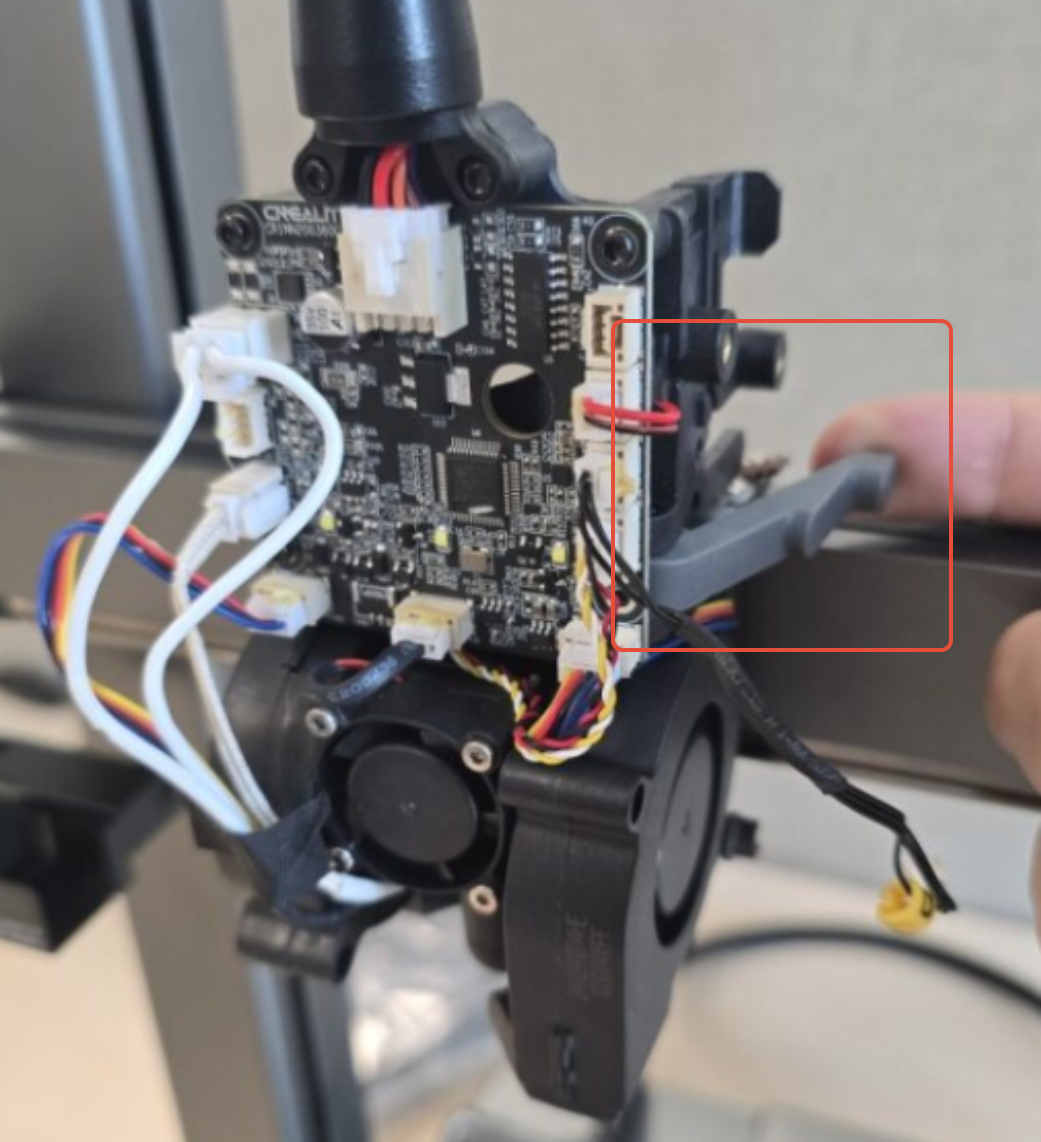
Step 15. Plug in the Filament Cutter Cable, Extruder Motor, Heater Cable, Thermistor and Hotend Fan Cable
Plug the Filament Cutter Cable, Extruder Motor, Heater Cable, Thermistor and Hotend Fan Cable cable back into their respective connectors.
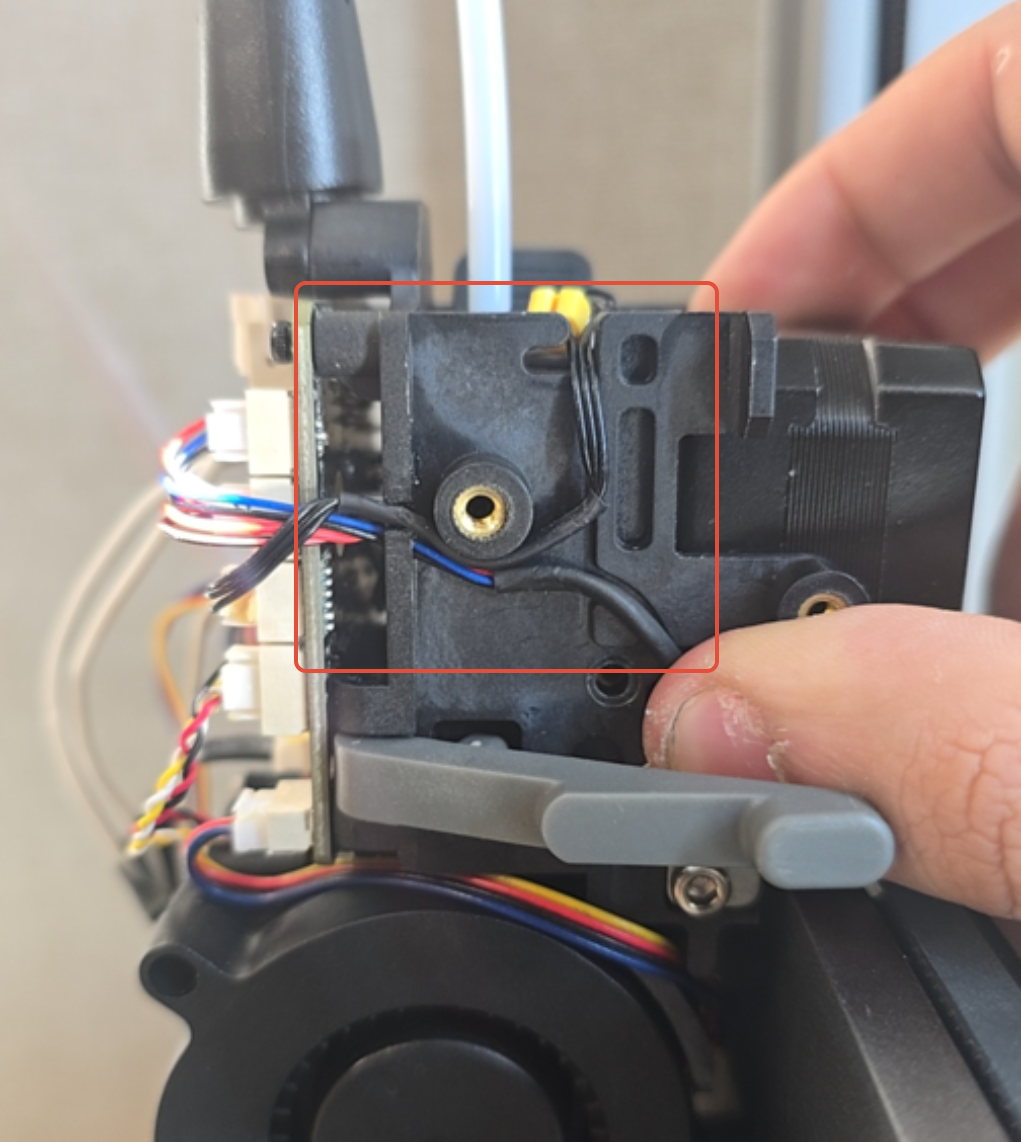
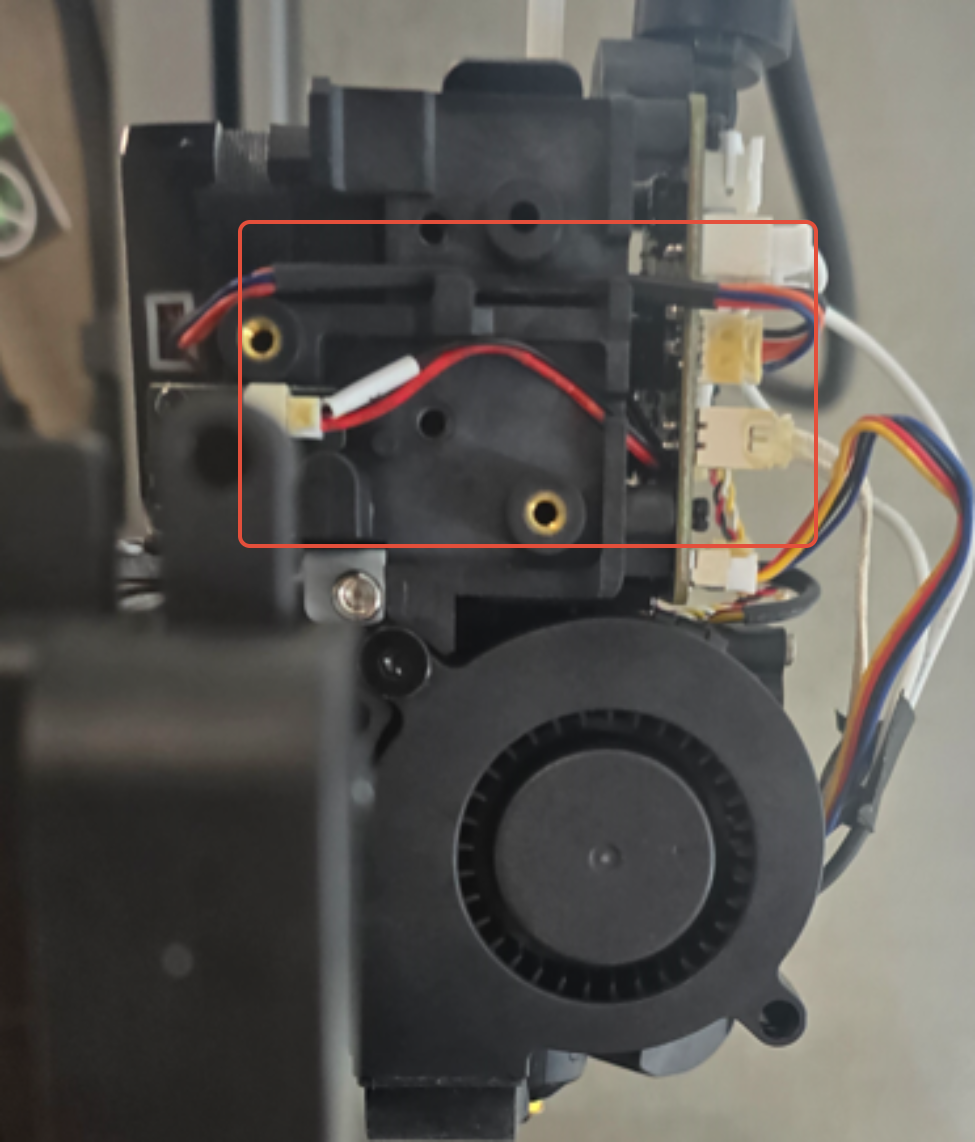
Step 16. Ensure that the cables are organized into their grooves
Ensure that the cables are properly routed into their grooves to avoid interference with other components.
Step 17. Install the Extruder Motor Cover
Use your 2mm Hex driver to secure the screws holding the extruder motor cover.
Step 18. Install the Extruder Indicator Wheel
Ensure the extruder indicator wheel is fully seated. If it's not properly aligned, the front tool head cover may not fit correctly.
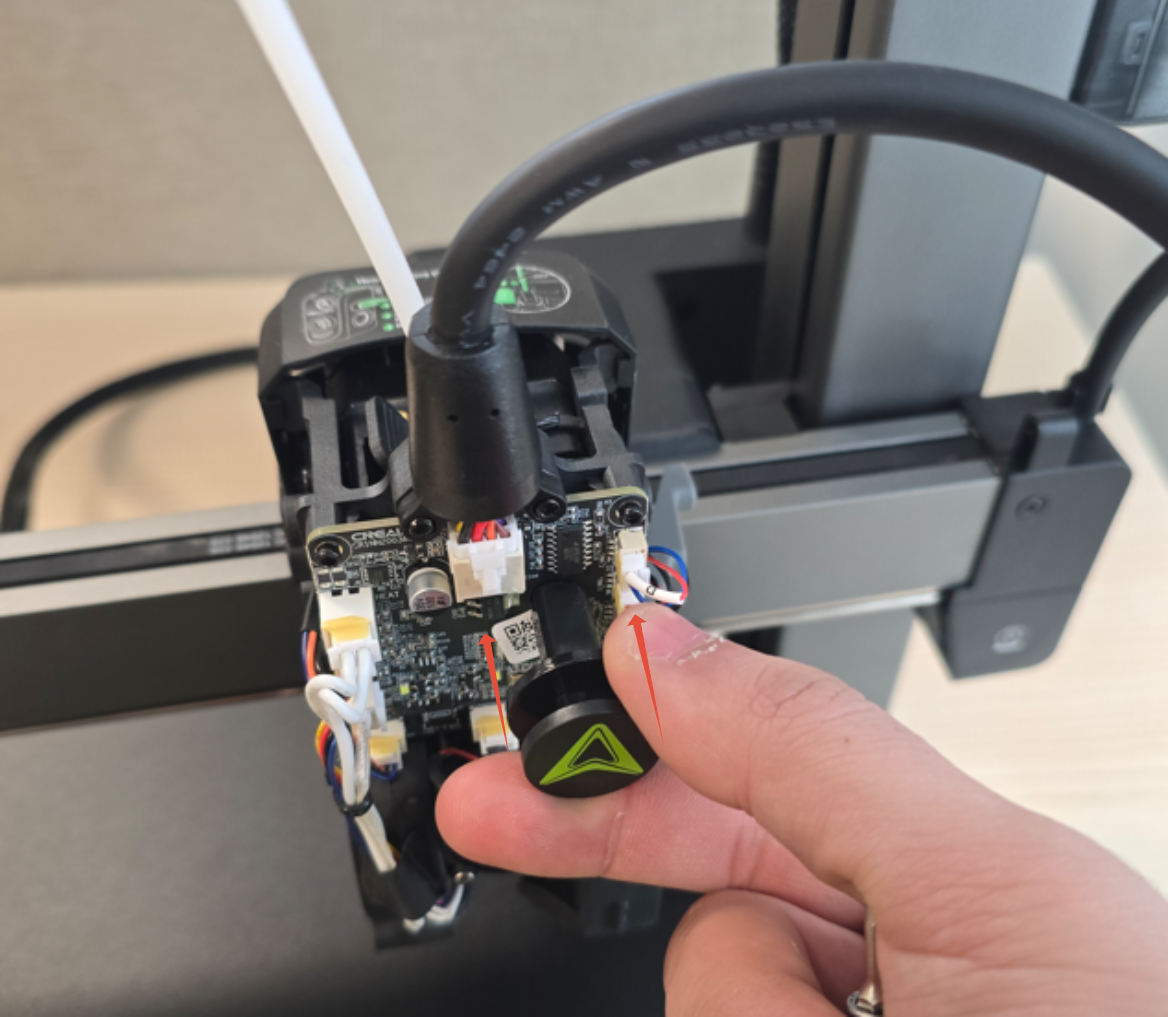
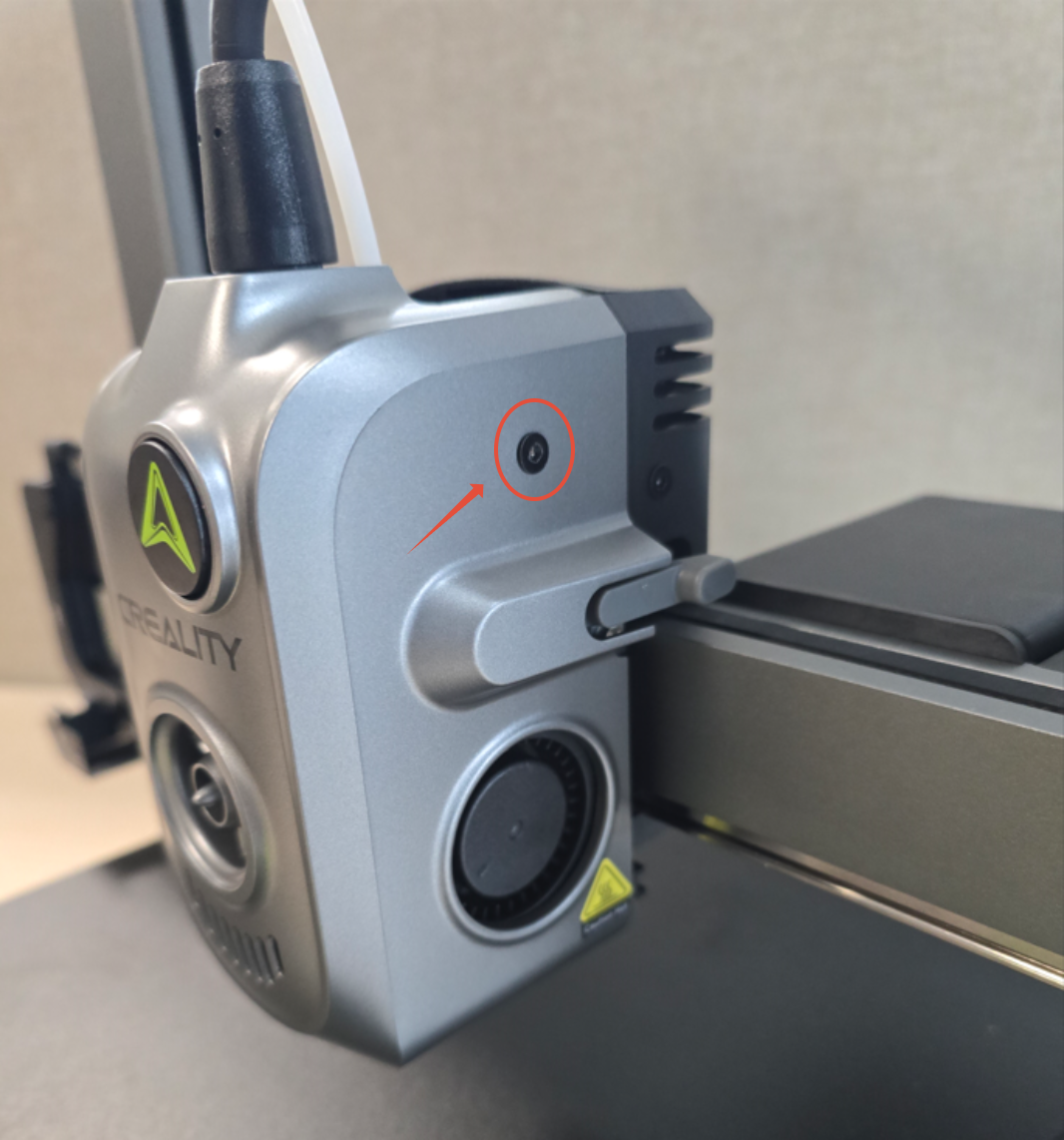
Step 19. Install the Front Tool Head Cover and screw it in place
Position the front tool head cover back into place and secure it with the screws.
Step 20. Turn on the machine and run Self Test / Calibration.
Power on the machine and run the self-test / calibration procedure. If no errors appear, the replacement was successful!
Was this article helpful?
That’s Great!
Thank you for your feedback
Sorry! We couldn't be helpful
Thank you for your feedback
Feedback sent
We appreciate your effort and will try to fix the article