The internal hub (also known as the five-way hub or 5-in-1 adapter) is a critical component inside your Creality Filament System (CFS) that directs filament from the four feed motors into a single PTFE tube leading to your K2 Plus printer . If you encounter filament jams, grinding noises, or error codes related to filament path issues, the hub assembly may need replacement . This guide provides step-by-step instructions for safely disassembling the CFS, disconnecting the hub cables and PTFE tubes, and installing a new genuine Creality internal hub assembly .
TABLE OF CONTENTS
Spare Part:
Other Parts:
Filament Detector PCB
Install Video:
Troubleshooting (Filament Jam/Stripping FIlament)
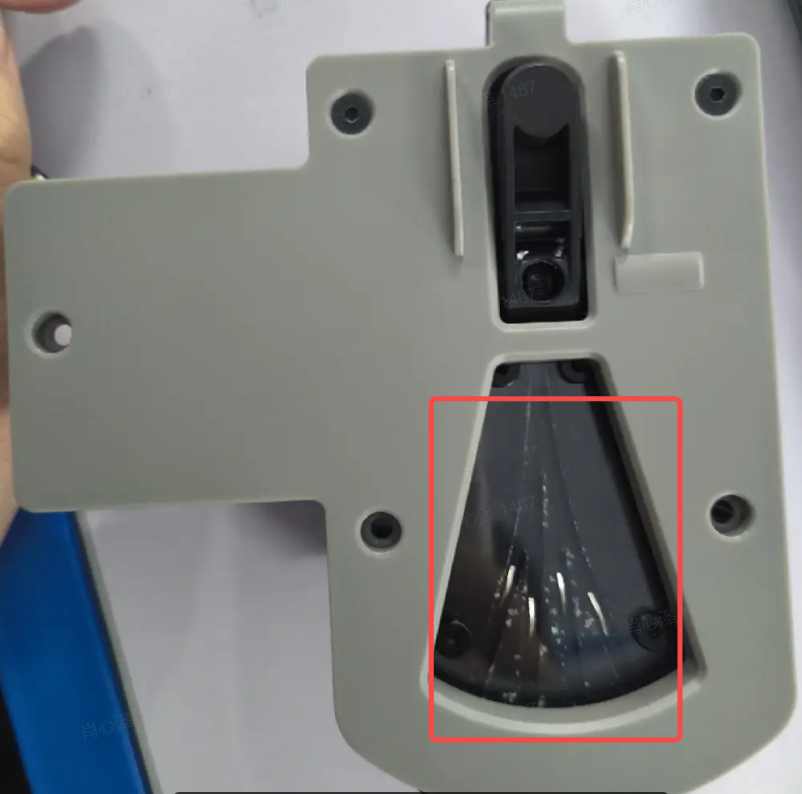
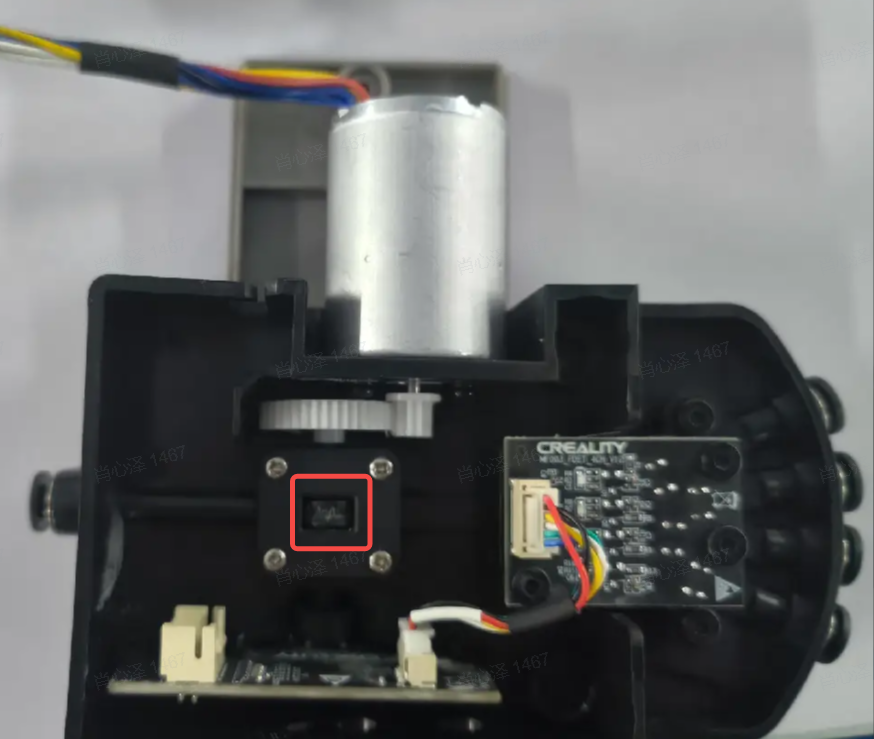
If you have experience issue with filament getting feeding and you check all components such sensor board, wear on the extruder gear in the hub, and ptfe tube is in good condition you could try below modification the spring tension of the feeder at extrude hub. Please see below option.
If you don't have strong enough cutter for the spring, some users had luck using older extruder spring from MK8 Bowden Extruders.
Checking the filament path, of the AMS hub such as removing or cleaning any filament from channel below, and other is sign of loose connection (which is rare).
Written Guide:
Source: https://wiki.creality.com/en/cfs/replace-hub
1. Remove the PTFE pipe
Place the bottom side of the CFS on while ensuring that the power is disconnected. Note that you need to press the terminal of the pneumatic connector before pulling out, otherwise the pneumatic connector may be pulled out.
2. Remove the hub assembly fixing screws
Remove the three screws from the hub assembly
3. Disconnect 4 PTFE tubes
Remove the PTFE tube from the limit slot first
Disconnect the 4 PTFE tubes connected to the CFS. Please note that the terminal of the pneumatic connector must be pressed before pulling out, otherwise it may be pulled out
4. Disconnect the hub assembly cable
Disconnect cables from the motor and bottom control panel to take out the hub assembly
5. Connect the new hub assembly cable
A wide cable is connected to the motor and a small cable is connected to the adapter plate

6. Connect 4 PTFE tubes
Connect the 4 PTFE tubes connected by CFS. Please note that the terminal of the pneumatic connector must be pressed before pulling out, otherwise the air head may be pulled out.
Press into the limit line slot

7. Install the hub assembly fixing screws

Was this article helpful?
That’s Great!
Thank you for your feedback
Sorry! We couldn't be helpful
Thank you for your feedback
Feedback sent
We appreciate your effort and will try to fix the article